
|
Do it yourself
| |||
| ||||


How to Reset the Service Light on a Maxus T60
Model: Maxus T60
MK 1
- Years 2016-2024
To reset the service light on a Maxus T60, the procedure is simple. With the ignition on (key in the on position, without starting the engine), use the button on the lever to navigate the menu until you reach the "Vehicle Service" (or "Service") option. Once on the screen, use the "SET" button and press it five times in quick succession: 1, 2, 3, 4, 5. The reset is complete and the light turns off. If this method does not work, you can try holding the SET button down for a long time, or use a professional diagnostic tool like the OBD Launch X431, which can be found on AliExpress with the code 1005012701236996 for $136.79 with free shipping. To perform the reset function from the instrument system. Before performing the reset, ensure that you have actually completed the service (oil and filter change) so you do not lose track of maintenance.
Posted on 5 October 2026 by ScegliAuto
Video tutorial
Related tutorials
Maxus T60
(2016-2024 /
MK 1)
Today, you will learn, in this video tutorial, the instructions to reset the service light for the routine maintenance of the oil change on the MG T6…

Maxus T60
(2016-2024 /
MK 1)
In order to reset the Service light of the Maxus T60, you need to turn on the instrument panel by inserting the ignition key into the slot and turnin…

Maxus T60
(2016-2024 /
MK 1)
Let's see how to reset the service light on the 2024 Maxus T60: turn on the instrument cluster and use the button on the windshield wiper control (lo…
Other guides you may be interested in
|
How to Activate Bluetooth on the BMW 1 Series?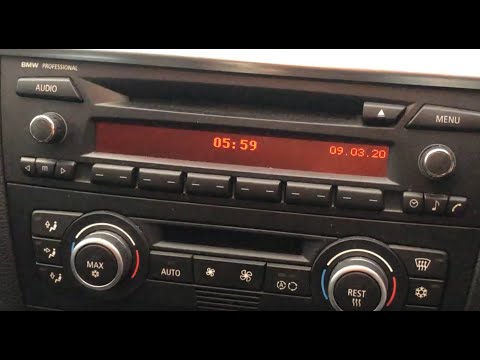
To activate Bluetooth on the BMW 1 Series, turn on the ignition so you can press the MENU button on the central control panel. This will allow you to select the "TEL" option to make the device visible. Then, connect to the radio using your mobile phone, selecting the device called "BMW" followed by a five-digit code. This code must be entered using the radio controls, confirming with OK. After entering and confirming, you will notice that the pairing between the devices has occurred. by ScegliAuto More videos
|

|
For advertising on this site Write to info@scegliauto.com
ScegliAuto is not responsible for any inaccuracy of the data in the lists. To report any inaccuracy or your business (if you own the business in question), please write to info@scegliauto.com
Number of seconds to generate the page: 0.775
(c) ScegliAuto 2026 - info@scegliauto.com - Privacy policy VAT number: IT01247470535 |
