
|
Do it yourself
| |||
| ||||


To reset the service of the Matus T60.
Model: Maxus T60
MK 1
- Years 2016-2024
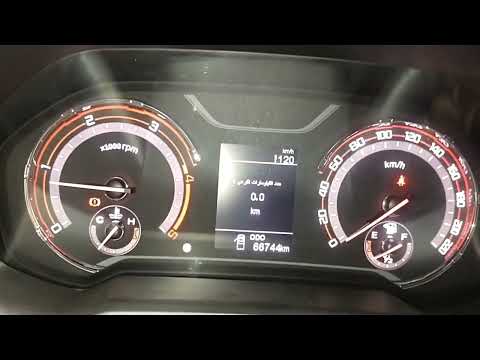
To reset the service of the Maxus T60, we start by turning on the car's instrument panel, starting the car's engine, and operating from the central infotainment display. Press the "car" button, click on the "vehicle condition" screen, then on the "engine oil" box. Click on the "maintenance" text, then click on the "ok" text to confirm. Now, on the "oil filter" box, click on the "maintenance" text, then click on the "ok" text to confirm. Finally, we can return to the main screen by pressing the "home" button, press the "car" button again, click on the "vehicle condition" screen, and check if the reset has occurred.
Posted on 27 August 2023 by ScegliAuto
Video tutorial
Related tutorials
Maxus T60
(2016-2024 /
MK 1)
In this tutorial we can see how to reset the service in the Maxus T60, a very simple and fast operation, to be carried out only after having complete…
Maxus T60
(2016-2024 /
MK 1)
Resetting the service in the Maxus T60 pick-up, as we can see in this tutorial, is an extremely simple and quick operation. Before proceeding, we mus…
Maxus T60
(2016-2024 /
MK 1)
In this tutorial we can see how to reset the service in the Maxus T60. Before carrying out this simple operation, we will obviously have to complete …
Other guides you may be interested in
|
How to Replace the Front Bumper on a BMW 3 Series
This simple operation will be illustrated in this short video guide. As the first step, raise the hood to access and remove the bolts securing the top of the bumper. Next, remove the bolts and clips that attach the inner fender to the rear of the bumper. This operation will need to be repeated on both sides. Also, remove the screws that secure the bottom of the bumper to the lower engine cover. Now, just pull the bumper away, being careful to disconnect the connectors at the back. by ScegliAuto More videos
|

|
For advertising on this site Write to info@scegliauto.com
ScegliAuto is not responsible for any inaccuracy of the data in the lists. To report any inaccuracy or your business (if you own the business in question), please write to info@scegliauto.com
Number of seconds to generate the page: 0.072
(c) ScegliAuto 2026 - info@scegliauto.com - Privacy policy VAT number: IT01247470535 |
