
|
Do it yourself
| |||
| ||||


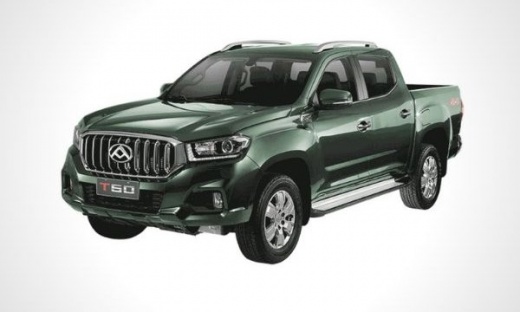
How to Install the Bed Covers on the Maxus T60
Model: Maxus T60
MK 1
- Years:
2016, 2017, 2018, 2019, 2020, 2021, 2022, 2023, 2024
Video tutorial
Below are the instructions to install the side plastic covers that protect the rear bed of the Maxus T60 in simple and quick steps. First, move to the back of your vehicle and begin to securely attach the plastic covers to the sides of the bed; then use the screws and hardware provided to fasten them correctly, as shown in the video. This will protect the body and install an additional barrier on the bed of your vehicle, also preserving it from rust.
Updated on 16 August 2026 by ScegliAuto
Related tutorials
Maxus T60
(2016-2024 /
MK 1)
Here are the steps to install the front tow hitch on a Maxus T60, as well as on an LDV T60. First, move to the front and remove the plastic cover und…

Maxus T60
(2016-2024 /
MK 1)
In this guide, discover the main steps to disassemble and replace the factory radio in the Maxus T60. First, get inside the vehicle and start by remo…
Maxus T60
(2016-2024 /
MK 1)
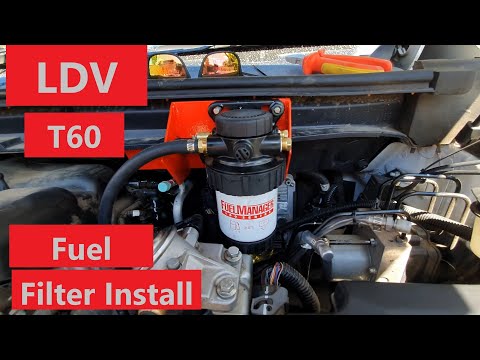
To replace the fuel filter on the Maxus T60, open the hood to access the components inside the engine compartment. The old filter will be located in …
Other guides you may be interested in |
Where are the fuses located on the Renault Laguna?
On the Renault Laguna, the fuses are located inside the fuse boxes installed in the vehicle: in this car model, you will find two boxes for containing the fuses. The first is in the fuse box on the left side of the dashboard, accessible by opening the driver's door: here you will find the fuses for the windscreen wipers, fog lights, horn, etc. The second box is located on the right side of the engine compartment: here you will find the fuses for the dipped headlights, radiator fan, alternator, etc. by ScegliAuto More videos
|
|
For advertising on this site Write to info@scegliauto.com
ScegliAuto is not responsible for any inaccuracy of the data in the lists. To report any inaccuracy or your business (if you own the business in question), please write to info@scegliauto.com
Number of seconds to generate the page: 0.021
(c) ScegliAuto 2026 - info@scegliauto.com - Privacy policy VAT number: IT01247470535 |
