
|
Do it yourself
| |||
| ||||


Video tutorial
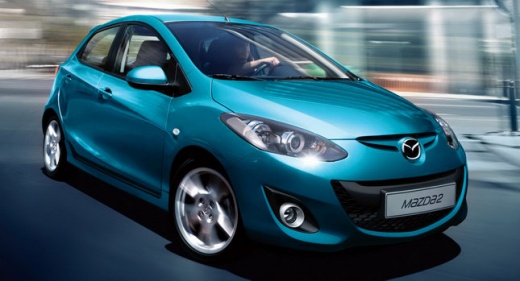
In this video we can see how to set the clock on a Mazda 2 MK2 version, or on all those that have the radio model shown in the video. In fact, this radio has, in the button panel to the left of the display, a button with the clock icon, holding down which the adjustment message is displayed and the time starts flashing. With the buttons with the arrows we can adjust the time, keeping in mind that it is a clock set to 24 hours: the upper button is for the hour and the lower one for the minutes. Holding it down will make it go very fast. When we have reached the chosen time, press the clock button again to confirm.
Posted on 26 January 2025 by ScegliAuto
Related tutorials
Mazda 2
(2007-2014 /
MK 2, DH, DE)
In this video, you can see how to set the clock on a Mazda 2: this is a 2008 model, but if the type of clock fitted in your vehicle is the same, the …

Mazda 2
(2007-2014 /
MK 2, DH, DE)
In this tutorial, you will see how to set the time in the Mazda 2, a very simple and quick operation, to be done after disconnecting the battery or a…

Mazda 2
(2007-2014 /
MK 2, DH, DE)
In this tutorial, we can see how to adjust the time in the Mazda 2, an extremely simple and quick operation, to be carried out, for example, after di…
Other guides you may be interested in
|
How to Open the Fuel Filler Flap in the Hyundai i30?
In this tutorial, you will learn how to open the fuel filler flap in the Hyundai i30, a very simple operation that follows the typical procedure of most vehicles. First, unlock the locks using the designated button on the remote, then open the driver's door, locate the release lever on the left side of the seat, and operate it. Next, move to the fuel filler flap, open it completely, unscrew the cap, and refuel as needed. To close the flap, simply press it gently. by ScegliAuto More videos
|
|
For advertising on this site Write to info@scegliauto.com
ScegliAuto is not responsible for any inaccuracy of the data in the lists. To report any inaccuracy or your business (if you own the business in question), please write to info@scegliauto.com
Number of seconds to generate the page: 0.052
(c) ScegliAuto 2026 - info@scegliauto.com - Privacy policy VAT number: IT01247470535 |
