
|
Do it yourself
| |||
| ||||


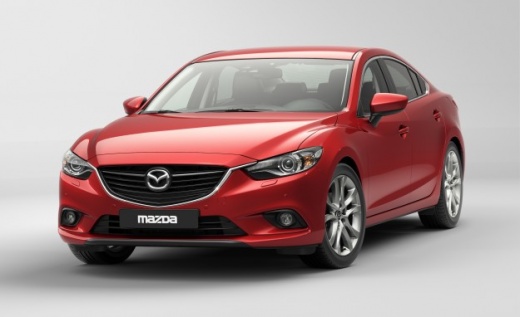
How to Reset the Tyre Warning Light on the Mazda 6?
Model: Mazda 6
GJ, MK 3
- Years:
2012, 2013, 2014, 2015, 2016, 2017, 2018, 2019, 2020, 2021, 2022, 2023
Video tutorial
The tyre warning light, it should be noted, activates when one or more tyres of the vehicle are not sufficiently inflated. After verifying the cause of this issue and restoring the tyre pressure to the manufacturer's specified parameters, you can proceed with resetting the warning: with the instrument panel on, press the Info button on the steering wheel, using the directional arrows next to it select the Tyre option from the Settings list and continue until you reach the Reset option. You are done, turn off the aforementioned instrument panel and turn it back on to check for any anomalies.
Posted on 11 April 2026 by ScegliAuto
Related tutorials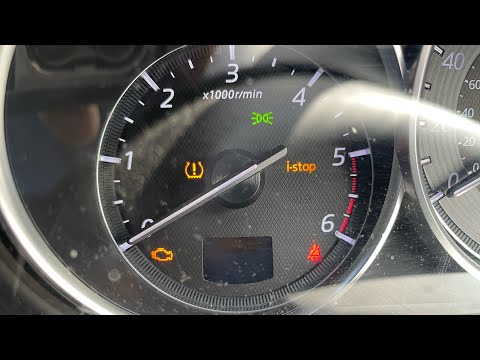
Mazda 6
(2012-2024 /
GJ, MK 3)
In this new mini guide dedicated to your Mazda 6 third series (2016 model), we will discover how to manually reset the tyre light that continues to i…

Mazda 6
(2012-2024 /
GJ, MK 3)
The activation of the tire pressure warning light indicates a loss of pressure or a possible puncture on one or more tires; let's try to reset the wa…

Mazda 6
(2012-2024 /
GJ, MK 3)
Resetting the tyre warning light on a Mazda 6 is a simple and quick operation. First, ensure the correct tyre pressure is restored according to the i…
Other guides you may be interested in
|
How to Open the Fuel Flap on a Volkswagen Tiguan?
To open the fuel flap on a Volkswagen Tiguan, first unlock the car using the appropriate button on the remote. This will open the car and unlock the mechanism that controls the fuel flap. At this point, apply light pressure to the left side of the flap to open it and access the cap underneath. Once this is unscrewed, you can refuel and then close everything. by ScegliAuto More videos
|
|
For advertising on this site Write to info@scegliauto.com
ScegliAuto is not responsible for any inaccuracy of the data in the lists. To report any inaccuracy or your business (if you own the business in question), please write to info@scegliauto.com
Number of seconds to generate the page: 0.069
(c) ScegliAuto 2026 - info@scegliauto.com - Privacy policy VAT number: IT01247470535 |
