
|
Do it yourself
| |||
| ||||


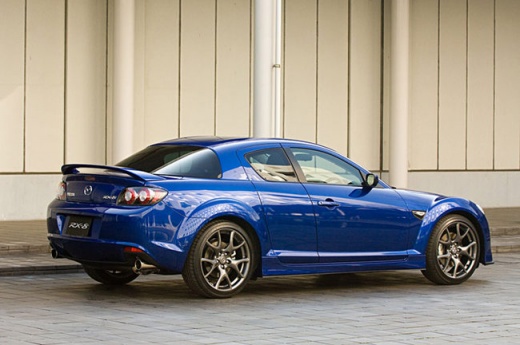
Installing Audio Interface for Mobile Phone
Model: Mazda Rx 8
MK 1
- Years:
2003, 2004, 2005, 2006, 2007, 2008, 2009, 2010, 2011, 2012
Video tutorial
It is often useful to have an interface to connect your mobile phone to the car radio. To check the compatibility of the chosen interface, press and hold the "text" button on the front of the car radio, and the version of the system will be displayed. Once compatibility is confirmed, proceed with the installation. Remove the gear knob to take off the upper part of the car tunnel. Then, remove the plastics under the steering wheel to access the car radio from the side. Also, remove the bracket to work without too many obstacles and safely extract the car radio. Remove the car radio by unlocking the tabs above and below it. Pass the interface cable through the tunnel side and connect it to the car radio via the connector. Verify correct operation before reassembling the removed parts. At this point, the placement of this device is left to the owner's choice, depending on their needs.
Updated on 9 February 2026 by ScegliAuto
Related tutorials
Audi A4
(2007-2016 /
B8)
The Multi Media Interface (MMI) is an in-car user interface multimedia system developed and introduced by Audi. It consists of a single integrated in…
Nissan Murano
(2014-2024 /
Z52, MK 3)
To listen to music from your mobile phone or iPod in the car, connect it to the relevant ports located either just behind the gear lever (input numbe…

Volkswagen Golf
(2003-2008 /
Golf 5, MK 5, Golf V)
To connect your mobile phone to the car stereo, first activate the Bluetooth device on your phone so that it can interface with the stereo; once the …
Other guides you may be interested in
|
How to Reset the AdBlue Warning Light on a Peugeot Boxer
To reset the AdBlue system on a 2018 Peugeot Boxer, follow these steps: Start the engine and ensure the vehicle is parked in a well-ventilated area. Locate the "MENU" button on the dashboard or steering wheel controls. Press and hold the "MENU" button until the menu options appear on the display. Use the arrow buttons or scroll wheel to access the "Vehicle Settings" or "Settings" menu. Select the "AdBlue" or "AdBlue System" option. Look for the "Recharge" or "Reset" option in the AdBlue menu. Once you find the reset option, select it and confirm your choice when prompted. The system will be reset, and a confirmation message may appear on the display. Turn off the engine and wait a few seconds. Restart the engine and check that the AdBlue system has been reset. by ScegliAuto More videos
|
|
For advertising on this site Write to info@scegliauto.com
ScegliAuto is not responsible for any inaccuracy of the data in the lists. To report any inaccuracy or your business (if you own the business in question), please write to info@scegliauto.com
Number of seconds to generate the page: 0.022
(c) ScegliAuto 2026 - info@scegliauto.com - Privacy policy VAT number: IT01247470535 |
