
|
Do it yourself
| |||
| ||||


How to configure the Mazda CX-5 head up display
Model: Mazda CX-5
MK 2
- Years 2017-2024
Let's see in this video how to adjust and arrange the Mazda MX-5 head up display as desired. For those who do not know what it is, it is a system that projects the data of the instrumentation and the navigator, in a synthetic way, on the windshield; it helps to take your eyes off the road as little as possible. Let's start by turning on the car's instrument panel, pressing the start & stop button once. Let's now enter the settings of the car radio and immediately find the desired configurations. We can adjust the height of the display, the rotation and the information we want to display.
Posted on 14 July 2022 by ScegliAuto
Video tutorial
Related tutorials
Mazda CX-5
(2017-2024 /
MK 2)
Below we will discover step-by-step instructions on how to adjust and set the time on the Mazda CX-5, in simple and quick steps. First of all, we get…
Mazda CX-5
(2017-2024 /
MK 2)
If you want to manually change the time displayed in your new Mazda CX-5 all you have to do is put into practice the following indications. The whole…
Mazda CX-5
(2017-2024 /
MK 2)
In this guide, we will see the main instructions that will allow us to install the Dash Cam on the Mazda CX-5, following these simple steps. First of…
Other guides you may be interested in
|
How to Remove the Headlight Bulbs on a Toyota Rav4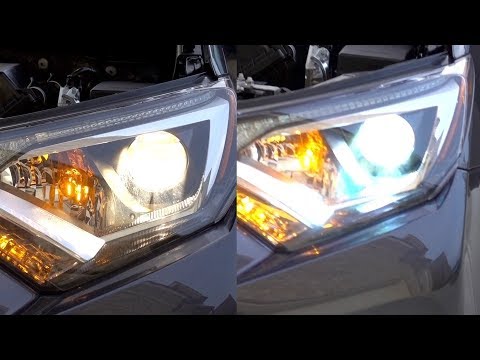
Let's see how to remove the headlight bulbs on a Toyota Rav4. Open the bonnet by pulling the lever located at the bottom right of the dashboard and secure it. Locate the inspection cap (if present) on the headlight and remove it (located at the rear of the headlight). At this point, you will find the bulbs with metal clips; pull the bulb holders out of the headlight and extract the damaged bulb using a screwdriver and pliers. Fit the new bulb (ensuring it is the correct type and size), insert the bulb holder back into the headlight housing, and close the headlight with the inspection cap. Test the lights to ensure they are functioning correctly. by ScegliAuto More videos
|
|
For advertising on this site Write to info@scegliauto.com
ScegliAuto is not responsible for any inaccuracy of the data in the lists. To report any inaccuracy or your business (if you own the business in question), please write to info@scegliauto.com
Number of seconds to generate the page: 0.048
(c) ScegliAuto 2026 - info@scegliauto.com - Privacy policy VAT number: IT01247470535 |
