
|
Do it yourself
| |||
| ||||


Replacing the Cabin Filter in a 2023 Mazda CX-50
Model: Mazda Mazda Various
Video tutorial
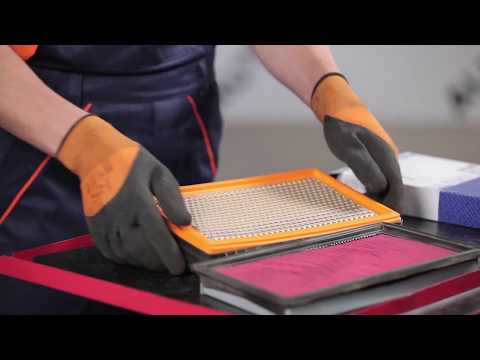
In this video tutorial, you will see how to replace the cabin filter in a 2023 Mazda CX-50. The first step is to purchase a new cabin filter from an authorised car parts dealer. The cabin filter can be found inside the glove compartment, so open the glove box and note that there are 4 clips; simply push these clips forward to remove the panel from its location. Once the panel is removed, you will see the cabin filter housing; grasp the two tabs and move the filter forwards, backwards, left, and right to help it come out of its location. Once the old filter is removed, you can insert the new filter, ensuring it is installed in the correct direction, according to the arrow markings on the filter that indicate the airflow direction.
Updated on 27 August 2026 by ScegliAuto
Related tutorials
Mazda Mazda Various
Follow these main steps to carry out the routine maintenance service by replacing the engine oil and oil filter on the Mazda Bongo. First, lift the v…
Mazda Mazda Various
In this video tutorial, you can see how to replace the engine air filter in a Mazda 323 F VI produced from 1998 to 2003, following a few simple steps…

Mazda Mazda Various
If you want to locate the interior fuses in your Seat Tribute, all you have to do is carefully read the following guide and follow all the steps desc…
Other guides you may be interested in
|
How to Reset the Tyre Pressure Warning Light on the Jeep Renegade?
To reset the tyre pressure warning light on the Jeep Renegade, inflate the tyres until they reach the recommended pressure: this value is indicated on the sticker attached to the driver’s door pillar. Once the tyres are properly inflated, navigate through the menu that appears on the instrument cluster until you find the tyre pressure option. At this point, press and hold the OK button on the right side of the steering wheel to make the warning light disappear. by ScegliAuto More videos
|
|
For advertising on this site Write to info@scegliauto.com
ScegliAuto is not responsible for any inaccuracy of the data in the lists. To report any inaccuracy or your business (if you own the business in question), please write to info@scegliauto.com
Number of seconds to generate the page: 0.010
(c) ScegliAuto 2026 - info@scegliauto.com - Privacy policy VAT number: IT01247470535 |
