
|
Do it yourself
| |||
| ||||


Mercedes Classe V - Manufacturer emblemManufacturer Emblem Mercedes Classe V (2014-2026 / w 447, mk 3) Mercedes Classe V (2014-2026 / W447, MK 3)
How to Personalise the Manufacturer's Badge on the Mercedes V-Class This video tutorial illustrates the steps to personalise the manufacturer's badge on the Mercedes V-Class independently. To carry out this simple operation, …Read all… Posted on 27 May 2026 by ScegliAuto  Mercedes Classe V (2014-2026 / W447, MK 3)
How to wrap the emblem of a Mercedes V-Class In this video, we can see how to "wrap" or cover the central emblem of a Mercedes Class V with a vinyl film. We can find the copper-colored vinyl shown in the …Read all… Posted on 28 October 2025 by ScegliAuto Battery (2) Key (1) Onboard computer (2) Cabin air filter (1) Headlight bulb (1) Clock (4) Brake pads (1) Tires (1) Car door (1) Wheel (1) Fuse box (4) AdBlue warning light (3) Warning light – error code (1) (3) Service warning light (8) Manufacturer emblem (2) |
How to Remove the Rear Bumper of the Peugeot 308?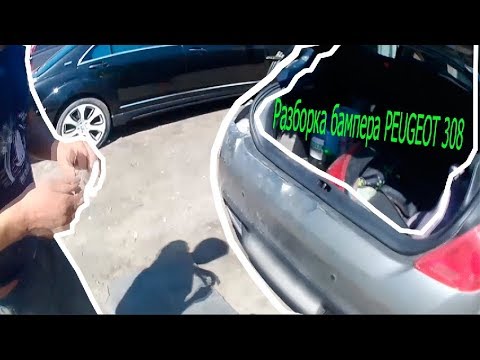
To remove the rear bumper of the Peugeot 308, open the tailgate and then loosen the screws that secure the two rear light clusters from the inside. Once these two lights have been removed, you can proceed to pull the lights from their housing and disconnect their connectors. At this point, loosen the screws that secure the bumper from its underside, from inside the wheel arches, and from inside the light housings. When all screws have been loosened, you can detach the old bumper and replace it with a new one. by ScegliAuto More videos
|
|
For advertising on this site Write to info@scegliauto.com
ScegliAuto is not responsible for any inaccuracy of the data in the lists. To report any inaccuracy or your business (if you own the business in question), please write to info@scegliauto.com
Number of seconds to generate the page: 0.076
(c) ScegliAuto 2026 - info@scegliauto.com - Privacy policy VAT number: IT01247470535 |
