
|
Do it yourself
| |||
| ||||


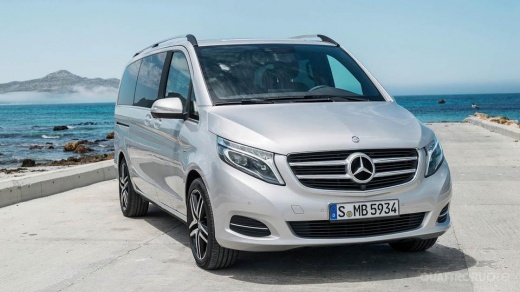
How to Personalise the Manufacturer's Badge on the Mercedes V-Class
Model: Mercedes Classe V
W447, MK 3
- Years:
2014, 2015, 2016, 2017, 2018, 2019, 2020, 2021, 2022, 2023, 2024, 2025
Video tutorial
This video tutorial illustrates the steps to personalise the manufacturer's badge on the Mercedes V-Class independently. To carry out this simple operation, purchase adhesive paper from hardware stores or online. Remove the badge using a flat-head screwdriver and rotate it, placing it on a clean work surface to proceed. Remove the emblem and heat the adhesive paper to make it stick to the badge. Trim any excess and mount the badge. Insert the modified badge onto the central grille of the vehicle.
Posted on 27 May 2026 by ScegliAuto
Related tutorials
Mercedes Classe V
(2014-2026 /
W447, MK 3)
.. "wrap" or cover the central emblem of a Mercedes Class V with a vinyl film. We can find the copper-colored vinyl shown in the video, for example, on Temu,.. …

Mercedes Classe V
(2014-2026 /
W447, MK 3)
.. remove and replace the battery in the Mercedes V-Class and Viano. First, open the rear sliding door and recline the seatback; then remove the mat and.. …

Mercedes Classe V
(2014-2026 /
W447, MK 3)
.. you to reset the service light of the Mercedes V-Class in simple steps. First, get inside the cabin and start the ignition; press the two specific buttons.. …
Other guides you may be interested in
|
How to reset the tyre pressure warning light on the Kia Niro EV?
To reset the tyre pressure warning light on the Kia Niro EV, inflate the tyres until they reach the correct pressure value. This value is indicated on the sticker attached to the driver's door pillar. Once the tyres are inflated, turn on the instrument cluster to check that the warning light has completely disappeared from the display. If it is still present, you may need to drive for a few miles to ensure it disappears completely from the screen. by ScegliAuto More videos
|
|
For advertising on this site Write to info@scegliauto.com
ScegliAuto is not responsible for any inaccuracy of the data in the lists. To report any inaccuracy or your business (if you own the business in question), please write to info@scegliauto.com
Number of seconds to generate the page: 0.015
(c) ScegliAuto 2026 - info@scegliauto.com - Privacy policy VAT number: IT01247470535 |
