
|
Do it yourself
| |||
| ||||


How to reset the service indicator light on the Mercedes C-Class
Model: Mercedes Classe C
W203
- Years 2000-2007
In this article, with the help of the video, we see how to reset the service light on the Mercedes C-Class. The procedure takes less than 1 minute to be carried out and completed and no tools or software are needed. To reset this light, you must first start the instrument panel, then press the up arrow button on the left side of the steering wheel to scroll through the menu, scroll until you find the maintenance item, once found, press and hold the reset button on the left side of the panel until the message appears to press the reset button for 3 seconds for the reset, at this point release the button and press it again for 3 seconds as indicated by the light. Now the reset is complete and you can restart the instrument panel.
Posted on 27 August 2024 by ScegliAuto
Video tutorial
Related tutorials
Mercedes Classe C
(2014-2021 /
W205)
.. regular maintenance oil change on a Mercedes C-Class. First, get in the vehicle and turn on the ignition; then go to the onboard computer menu and select.. …

Mercedes Classe C
(2007-2013 /
W204)
.. to reset the service indicator on a Mercedes C-Class vehicle. To reset the service light and update the mileage for the next service interval, press.. …
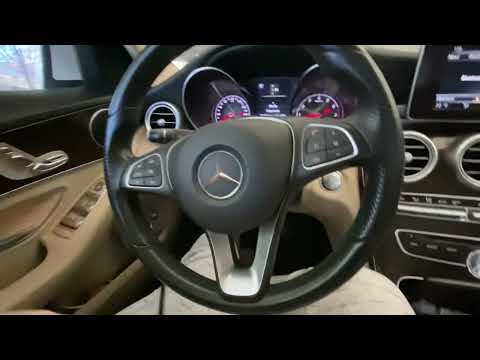
Mercedes Classe C
(2014-2021 /
W205)
.. the A3 service light on the Mercedes-Benz C-Class. First, get inside the vehicle and turn on the instrument cluster; then press the two indicated.. …
Other guides you may be interested in
|
What Does the "Code 60" Message Mean in the Opel Meriva?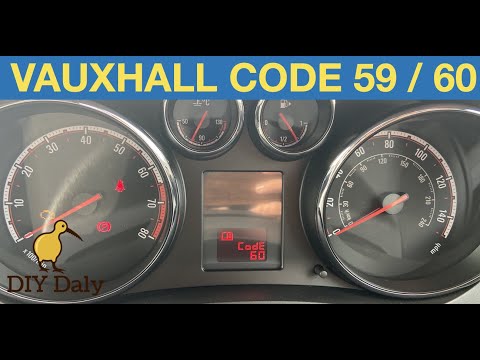
If the "Code 60" message has appeared on the dashboard of your Opel Meriva, it means that the passenger side window is not calibrated correctly. This issue can arise, for example, after disconnecting or replacing the battery, as the control unit for the various devices will lose the stored data. To remove the warning from the dashboard, simply turn on the ignition, fully open the window, and then close it. This procedure is also valid for the driver's window if the "Code 59" message appears. by ScegliAuto More videos
|
|
For advertising on this site Write to info@scegliauto.com
ScegliAuto is not responsible for any inaccuracy of the data in the lists. To report any inaccuracy or your business (if you own the business in question), please write to info@scegliauto.com
Number of seconds to generate the page: 0.062
(c) ScegliAuto 2026 - info@scegliauto.com - Privacy policy VAT number: IT01247470535 |
