
|
Do it yourself
| |||
| ||||


How do you adjust the lights in the Mercedes B-Class?
Model: Mercedes Classe B
MK 3, W247
- Years 2019-2026
A clarification is necessary, the video guide available here can be used in all models of recent Mercedes cars, therefore also applicable to the Mercedes Class B. The particularity is given by the possibility to choose the route that we are preparing to face, city, countryside, etc., all from the touchscreen display on the dashboard, continuing with the Setting, Light button. Then we select the Vehicle, Light Settings, Dipped Beams voice and choose the traffic mode on the right or left side, a useful setting in case of driving in countries with traffic directions opposite to the Italian one.
Posted on 4 November 2024 by ScegliAuto
Video tutorial
Related tutorials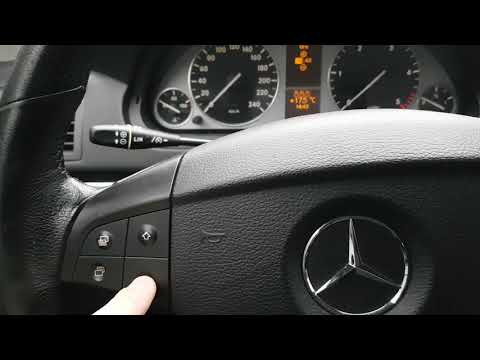
Mercedes Classe B
(2005-2011 /
W245, MK 1)
.. sit in the driver's seat of your Mercedes B-Class. Begin by activating the instrument panel by turning the ignition key in the lock, without starting.. …
Mercedes Classe B
(2005-2011 /
W245, MK 1)
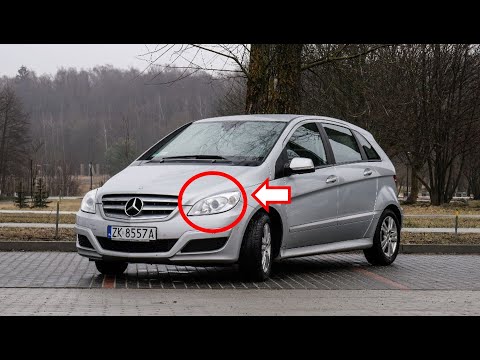
.. a bulb from the front headlamp of your Mercedes Class B? Let's see how to do it in the best way. Open the bonnet of the engine compartment and secure.. …

Mercedes Classe B
(2005-2011 /
W245, MK 1)
.. of the on-board computer of the Mercedes B-Class. The procedure takes less than 1 minute to complete and no tools or software are required. To change.. …
Other guides you may be interested in
|
How to Reset the Tyre Pressure Light on the Opel Grandland X
While driving, if you notice the tyre pressure warning light coming on, first check the actual inflation pressure of the tyres and, if necessary, restore the pressures recommended by the manufacturer. After restoring the correct pressures, you need to reset the warning light that has illuminated on the instrument cluster. To do this, locate the reset button on the lower central console. Press this button and hold it down for at least 3 seconds, after which the low pressure indication will turn off. by ScegliAuto More videos
|
|
For advertising on this site Write to info@scegliauto.com
ScegliAuto is not responsible for any inaccuracy of the data in the lists. To report any inaccuracy or your business (if you own the business in question), please write to info@scegliauto.com
Number of seconds to generate the page: 0.062
(c) ScegliAuto 2026 - info@scegliauto.com - Privacy policy VAT number: IT01247470535 |
