
|
Do it yourself
| |||
| ||||



How to correctly wire a reverse camera on the Mercedes C200
Model: Mercedes Classe C
W204
- Years:
2007, 2008, 2009, 2010, 2011, 2012, 2013
Video tutorial
Let's see how to connect a rear camera to a Mercedes C-Class. The camera has a video cable and a red cable for 12V power supply. The main unit must have a video input, such as a yellow RCA connector. The CANBUS decoder provides the reverse signal to the head unit: the video explains that the camera only turns on in reverse, but instead of taking the +12V from the rear light, it uses the CANBUS signal. We must therefore look for the brown wire coming out of the CANBUS decoder, use a multimeter to verify that it becomes +12 when reverse gear is engaged. Connect the red cable of the camera to this brown wire. The yellow RCA cable of the camera goes to the video input of the main unit. If the head unit supports the rear camera, it should automatically switch to the camera when it receives +12V from the brown wire. In the video, the YouTuber does not touch the car's original cables, everything is managed by the aftermarket head unit's CANBUS, so the camera only turns on when the CANBUS tells the radio to switch to reverse camera mode, therefore no interference with the original electrical system. With this method, there will be no need to make modifications to the rear lights; the camera only activates in reverse, and all cables remain hidden behind the radio. If our main unit does not have a CANBUS decoder, then we will connect the red cable of the camera to the reverse light.
Posted on 26 July 2025 by ScegliAuto
Related tutorials
Mercedes Classe C
(2007-2013 /
W204)
Follow the tutorial video available here to learn how to replace the brake pads on a Mercedes C200. Lift the vehicle and remove the tires one at a ti…

Mercedes Classe C
(2007-2013 /
W204)
The fuse boxes play a crucial role in the vehicle, as they protect connected devices from overloads, such as the radio, cigarette lighter, and more. …

Mercedes Classe C
(2021-2026 /
W206)
If the key for your 2022 Mercedes C200 has stopped working due to a completely dead battery and you want to learn how to replace it, follow these ste…
ScegliAuto offers an extensive international collection of automotive tutorials available in 12 languages. Each guide combines instructional videos with original explanations written by experienced human editors, along with information about the car models covered.
Other guides you may be interested in |
How to Reset the Tyre Pressure Warning Light in the Suzuki Swift?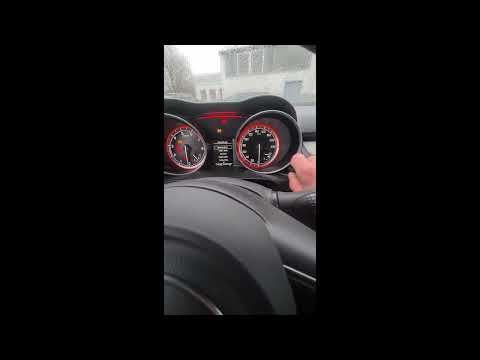
To reset the tyre pressure warning light in the Suzuki Swift, turn on the ignition, then navigate through the menu using the button located on the right side: this button should be rotated to locate the options displayed. You will need to select the option indicating tyre pressure and then select the "Reset" option: this way, the sensors will read the new tyre pressure values. If the tyres have been inflated to the correct pressure, the light will turn off automatically. by ScegliAuto More videos
|
|
For advertising on this site Write to info@scegliauto.com
ScegliAuto is not responsible for any inaccuracy of the data in the lists. To report any inaccuracy or your business (if you own the business in question), please write to info@scegliauto.com
Number of seconds to generate the page: 0.008
(c) ScegliAuto 2026 - info@scegliauto.com - Privacy policy - About us VAT number: IT01247470535 |
