
|
Do it yourself
| |||
| ||||


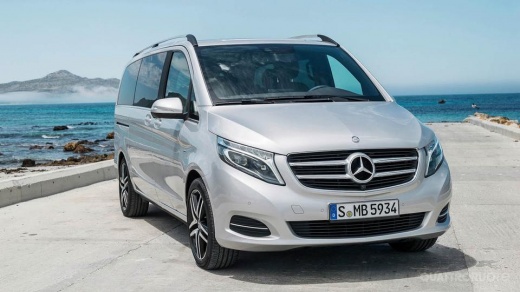
Where to Find the Tyre Pressure Sticker on a Mercedes Classe V
Model: Mercedes Classe V
W447, MK 3
- Years 2014-2026
In this video, we will see where to find the sticker with tyre information on a Mercedes Classe V: open the driver's side door. Look on the inside of the door: on the central pillar, you will find a flap that opens to the AdBlue filler neck. On the inside of the flap, you will find all the crucial information for correctly inflating the tyres: pressure indicated in PSI (which is the unit of measure used in Anglo-Saxon countries, meaning pounds per square inch) and in Bar (which is the unit of measure used in the EU). These pressures are indicated for normal load and full load; for both front and rear tyres. The sizes of the tyres and wheels are also indicated.
Posted on 3 April 2026 by ScegliAuto
Video tutorial
Related tutorials
Mercedes Classe V
(2014-2026 /
W447, MK 3)
In this tutorial, we can see how to reset the tire pressure warning light in the Mercedes V-Class van, an extremely simple and quick operation, to be…

Mercedes Classe V
(2014-2026 /
W447, MK 3)
In this video, see how to reset the service light on a Mercedes V-Class W447: turn on the instrument panel without starting the engine, then press th…

Mercedes Classe V
(2014-2026 /
W447, MK 3)
In this tutorial, we can see how to reset the tire pressure warning light in the Mercedes V-Class van, an extremely simple and quick operation, to be…
Other guides you may be interested in
|
How to reset the tyre pressure warning light on a Hyundai Tucson
Below are the instructions to reset the tyre pressure warning light (TPMS) on a Hyundai Tucson. First, get into the vehicle and turn on the instrument cluster; then navigate to the vehicle settings until you reach the tyre pressure monitor, identifying the tyre with incorrect pressure. At this point, restore all tyre pressures according to the specifications indicated on the label; this will reset the TPMS and the warning light will be cleared from the instrument cluster! by ScegliAuto More videos
|
|
For advertising on this site Write to info@scegliauto.com
ScegliAuto is not responsible for any inaccuracy of the data in the lists. To report any inaccuracy or your business (if you own the business in question), please write to info@scegliauto.com
Number of seconds to generate the page: 0.066
(c) ScegliAuto 2026 - info@scegliauto.com - Privacy policy VAT number: IT01247470535 |
