
|
Do it yourself
| |||
| ||||


How to Reset the TPMS Light on a 2006 Mercedes-Benz A-Class
Model: Mercedes Classe A
W169
- Years 2004-2012
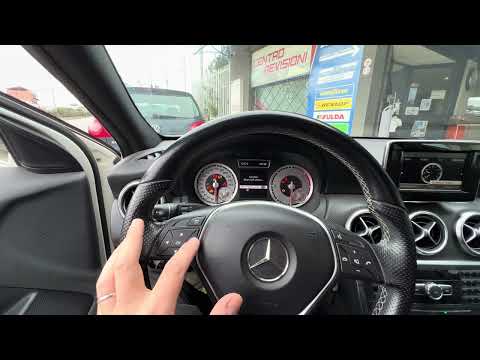
Today, you will learn how to independently reset the TPMS light, which relates to tire pressure, on a 2006 Mercedes-Benz A-Class. Press the side arrow button located on the left side of the steering wheel to access the settings menu. Continue pressing the button repeatedly until you select the "Tire Pressure Monitoring" option. After the update is complete, restart the instrument cluster. Before performing the reset, it is important to inflate the tires according to the instructions on the label located on the driver's door panel.
Posted on 3 May 2026 by ScegliAuto
Video tutorial
Related tutorials
Mercedes Classe A
(2004-2012 /
W169)
.. to the tire pressure of the 2008 Mercedes Class A, model W169, we must: - turn on the car's instrument panel, without starting the vehicle; - press.. …

Mercedes Classe A
(2004-2012 /
W169)
.. the tire pressure warning light on a Mercedes Classe A and Mercedes Classe B. To reset the warning light, we need to turn on the instrument panel and.. …
Mercedes Classe A
(2018-2026 /
W177)
.. Resetting the TPMS light on the Mercedes A-Class is a simple task you can do yourself. To reset the light, turn on the vehicle's ignition and then.. …
Other guides you may be interested in
|
Where is the Spare Wheel in the Peugeot 5008?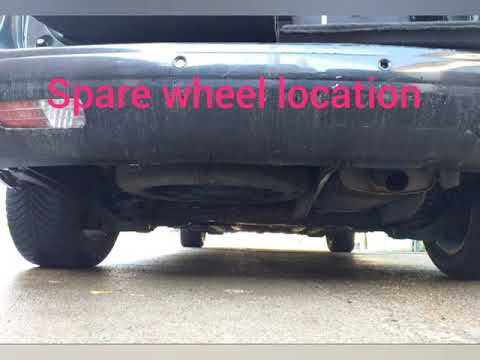
This video shows where the spare wheel is located in the Peugeot 5008 and how to access it, useful in case of a puncture. As shown, the wheel is not in the usual boot compartment but underneath it, outside the vehicle. To free the wheel, first gather the tools provided, then open the boot, locate the small indicated hatch, and open it. Next, loosen the bolt just released using the large socket wrench enough to lower the wheel to the ground. by ScegliAuto More videos
|

|
For advertising on this site Write to info@scegliauto.com
ScegliAuto is not responsible for any inaccuracy of the data in the lists. To report any inaccuracy or your business (if you own the business in question), please write to info@scegliauto.com
Number of seconds to generate the page: 0.075
(c) ScegliAuto 2026 - info@scegliauto.com - Privacy policy VAT number: IT01247470535 |
