
|
Do it yourself
| |||
| ||||


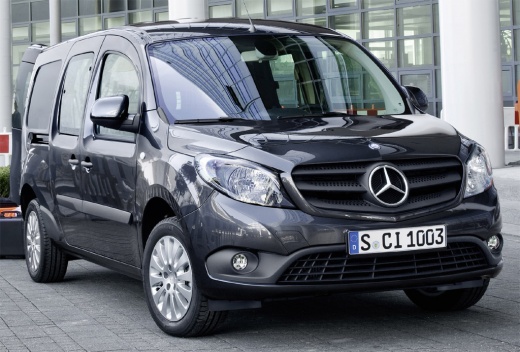
How to Reset the Service Light on a Mercedes Citan
Model: Mercedes Citan
- Years:
2012, 2013, 2014, 2015, 2016, 2017, 2018, 2019, 2020
Video tutorial
To reset the service light on the first-generation Mercedes-Benz Citan, get inside the vehicle and turn on the instrument panel without starting the engine. Use the buttons on the steering wheel to access the onboard computer menu. Scroll to the section related to maintenance or service interval. Select the service reset option and hold down the confirm button for a few seconds until the system registers the operation. After confirming the reset, turn off the instrument panel. Then turn the panel back on to check that the maintenance warning is no longer displayed on the dashboard.
Posted on 18 October 2026 by ScegliAuto
Related tutorials
Mercedes Citan
(2021-2026 /
W420)
Let's see how to reset the service light on the Mercedes Citan, which shares many components with the Renault Kangoo. The standard procedure involves…

Mercedes Citan
(2012-2020 /
MK 1)
.. This article explains how to reset the service light on a Mercedes Citan if it remains illuminated after a service. No software.. …

Mercedes Citan
(2012-2020 /
MK 1)
This procedure must be performed after the service has been completed. Before you start, activate the instrument cluster of your Mercedes Citan by tu…
Other guides you may be interested in
|
How to Remove the Front Bumper of the Renault Trafic?
To remove the front bumper of the Renault Trafic, use a tool to pry off the grille at the top: once this grille is removed, you can loosen the screws at the bottom to detach the front headlights. These must now be extracted by disconnecting the underlying connectors: this will allow you to loosen the additional screws that secure the front bumper and remove it completely. At this point, you can insert the new replacement part and check that everything functions correctly. by ScegliAuto More videos
|
|
For advertising on this site Write to info@scegliauto.com
ScegliAuto is not responsible for any inaccuracy of the data in the lists. To report any inaccuracy or your business (if you own the business in question), please write to info@scegliauto.com
Number of seconds to generate the page: 0.049
(c) ScegliAuto 2026 - info@scegliauto.com - Privacy policy VAT number: IT01247470535 |
