
|
Do it yourself
| |||
| ||||


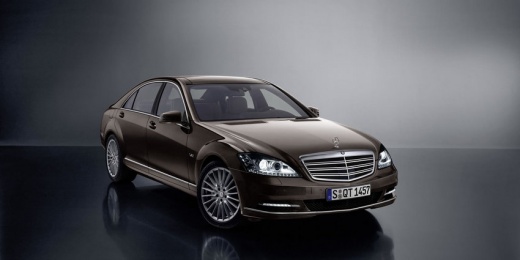
Installing the Cell Phone Mount
Model: Mercedes Classe S
W221, MK 5
- Years:
2005, 2006, 2007, 2008, 2009, 2010, 2011, 2012, 2013
Video tutorial
Have you always wanted, for any reason, to have your phone within reach without making long (and dangerous) movements to use it? Here’s how you can do it. Remember that using your phone while driving is not only dangerous but also punishable by law, so act with caution. Get some electrical tape; lower the cover of the reader and remove the plastic pieces on the sides, then take off the plastic underneath it. You will be able to remove the cover entirely and see, with a flashlight, some screws: fit the mount into place and tighten it. You can put the covers back on, and now you have your phone within reach.
Updated on 10 February 2026 by ScegliAuto
Related tutorials
Mercedes Classe S
(1991-1998 /
W140, MK 3)
To replace the rear brake shoes, proceed as follows: lift the vehicle and remove the rear wheel. Then, unscrew the mounting pins of the caliper and i…

Mercedes Classe S
(1999-2005 /
MK 4, W220)
To replace the sun visor on a Mercedes S-Class, use a screwdriver to pry off the cover located at the external support of the visor: beneath this cov…
Mercedes Classe S
(2005-2013 /
W221, MK 5)
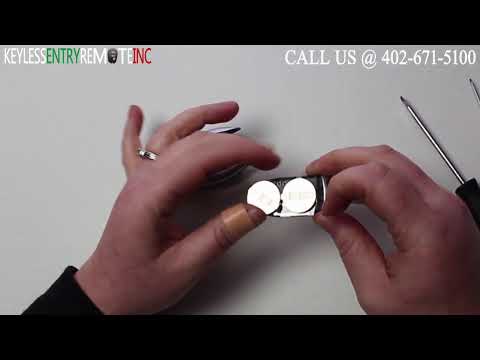
To replace the battery in the remote for the Mercedes S-Class, pry open the bottom of the device to detach the chrome cover of the remote. Once this …
Other guides you may be interested in |
How to Reset the Tire Pressure Light on a MG ZS?
On the instrument cluster of the MG ZS, the tire pressure light that appears can be reset by inflating the tires to the correct pressure: this value will be indicated on the sticker attached to the driver's door pillar. Once the tires have been properly inflated, you can turn on the instrument cluster and navigate through the menu until you find the option that indicates tire pressure: if this screen shows the new values, the light will turn off; otherwise, you will need to drive for a few miles so that the sensors can read the new values and turn off the light afterward. by ScegliAuto More videos
|
|
For advertising on this site Write to info@scegliauto.com
ScegliAuto is not responsible for any inaccuracy of the data in the lists. To report any inaccuracy or your business (if you own the business in question), please write to info@scegliauto.com
Number of seconds to generate the page: 0.009
(c) ScegliAuto 2026 - info@scegliauto.com - Privacy policy VAT number: IT01247470535 |
