
|
Do it yourself
| |||
| ||||


How to Reset Command Data on the Mercedes CLA
Model: Mercedes CLA
C117, X117
- Years 2013-2019
In this video tutorial, you will learn how to reset the command data on the Mercedes CLA by following the instructions below. First, get in the vehicle and turn on the instrument cluster; then navigate to the onboard computer display and press the "sys" button found on the central instrumentation, as shown in the video. At this point, scroll with the arrows until you reach the reset command option, and confirm it afterward. This way, you will see that the data from the control unit will be reset; then turn off the ignition and start the engine!
Updated on 18 June 2026 by ScegliAuto
Video tutorial
Related tutorials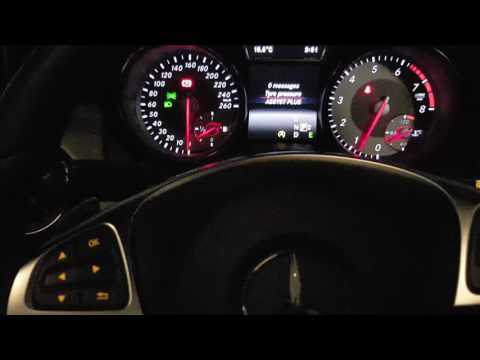
Mercedes CLA
(2013-2019 /
C117, X117)
In this simple video tutorial, you will learn how to reset the tire pressure light on a Mercedes CLA. First, before resetting the light, you must add…

Mercedes CLA
(2019-2025 /
C118, X118)
To reset the "Service" light on the Mercedes CLA, start with the ignition off, then turn it on without starting the engine. Use the buttons on the st…

Mercedes CLA
(2019-2025 /
C118, X118)
To analyze the data from the ECU of your 2021 Mercedes CLA 250 E, you need to know where the OBD2 port is located to connect a compatible diagnostic …
Other guides you may be interested in
|
How to Remove the Headrests from a Fiat Panda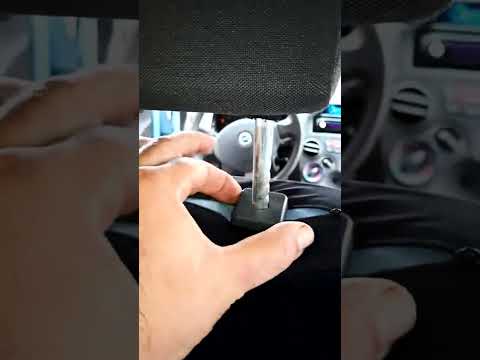
Below are the instructions to remove the headrests, both front and rear, from the Fiat Panda. First, get inside the vehicle and press and hold the side button located at the base of the headrest. Then, while holding the button, pull the headrest upwards to remove it, as shown in the video. At this point, perform the same operation on the other headrests. Now, simply insert them back in while holding the button, and finally adjust the height of all the headrests! by ScegliAuto More videos
|

|
For advertising on this site Write to info@scegliauto.com
ScegliAuto is not responsible for any inaccuracy of the data in the lists. To report any inaccuracy or your business (if you own the business in question), please write to info@scegliauto.com
Number of seconds to generate the page: 0.120
(c) ScegliAuto 2026 - info@scegliauto.com - Privacy policy VAT number: IT01247470535 |
