
|
Do it yourself
| |||
| ||||


How to Activate the AMG Logo on the Instrument Cluster
Model: Mercedes Classe C
W205
- Years 2014-2021
To activate the AMG logo, first turn on the ignition, then press three buttons simultaneously: the phone hang-up button, the button 1 on the numeric keypad, and the # (pound) button. An "Engineering" menu will open; navigate to "system," then to "logging," and select "enable log mark." Go back by moving the mouse to the left on the control console. Then go to "variant coding," from there select "variant coding page 2," and scroll down to "CI screen type" and change it to "type 2." Scroll down to "set page" to save the change. Press and hold the center button on the radio console to confirm, until the screen goes black. At this point, the "AMG" logo will appear.
Updated on 28 June 2026 by ScegliAuto
Video tutorial
Related tutorials
Mercedes Classe C
(2014-2021 /
W205)
In this new guide we will discover the steps you need to follow if you want to replace the small button battery located inside the key of your Merced…

Mercedes Classe C
(2014-2021 /
W205)
In the following guide, you will find a description of all the steps necessary to locate the fuse box inside your Mercedes AMG C43. First of all, ope…

Mercedes Classe C
(2021-2026 /
W206)
In this tutorial, we will see how to replace the battery in the Mercedes C-Class AMG remote, a very simple and quick operation. For this, you will ne…
Other guides you may be interested in
|
How to Activate Bluetooth on the BMW 1 Series?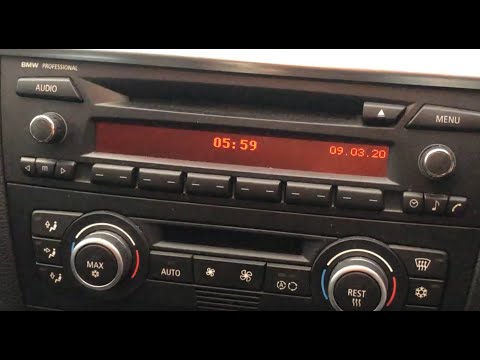
To activate Bluetooth on the BMW 1 Series, turn on the ignition so you can press the MENU button on the central control panel. This will allow you to select the "TEL" option to make the device visible. Then, connect to the radio using your mobile phone, selecting the device called "BMW" followed by a five-digit code. This code must be entered using the radio controls, confirming with OK. After entering and confirming, you will notice that the pairing between the devices has occurred. by ScegliAuto More videos
|
|
For advertising on this site Write to info@scegliauto.com
ScegliAuto is not responsible for any inaccuracy of the data in the lists. To report any inaccuracy or your business (if you own the business in question), please write to info@scegliauto.com
Number of seconds to generate the page: 0.200
(c) ScegliAuto 2026 - info@scegliauto.com - Privacy policy VAT number: IT01247470535 |
