
|
Do it yourself
| |||
| ||||


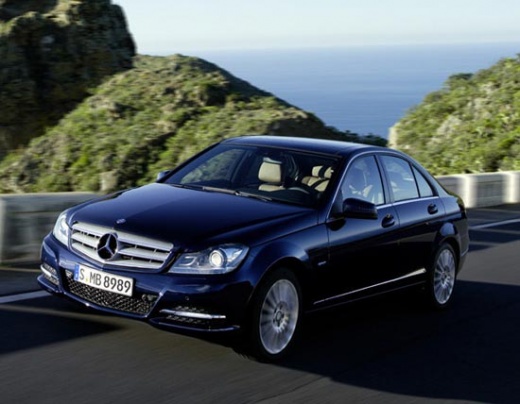
How to Reset the Airbag Light on a Mercedes C-Class?
Model: Mercedes Classe C
W204
- Years:
2007, 2008, 2009, 2010, 2011, 2012, 2013
Video tutorial
When the airbag light appears on the instrument cluster of the Mercedes C-Class, it is possible that one of the components contributing to the system's operation is damaged: this could be a crash sensor, the fuse, or the wiring. Repairing the damaged part is likely to leave the error stored in the control unit, causing the light to remain on: to turn it off, you will need to connect a diagnostic tool to the OBD port. This port is located at the bottom left of the steering column: with the diagnostic tool, you can clear the error and turn off the light.
Updated on 27 July 2026 by ScegliAuto
Related tutorials
Mercedes Classe C
(2000-2007 /
W203)
.. the airbag malfunction light on a Mercedes C-Class. Before performing the airbag light reset operation, ensure the issue causing the light to turn.. …

Mercedes Classe C
(2000-2007 /
W203)
.. Disabling the passenger airbag on a Mercedes C-Class is a straightforward procedure, but it is important to highlight how risky it can be to do this.. …

Mercedes Classe C
(2007-2013 /
W204)
.. reset the faulty airbag light on the Mercedes C-Class. First, get inside the vehicle and connect your diagnostic tool to the OBD port. Then, turn on.. …
Other guides you may be interested in
|
Frequently Asked QuestionsWhere is the Reset Button for the Tyre Light on a Hyundai Ix35?
The instrument cluster of the Hyundai Ix35 is equipped with a tyre light that illuminates to alert the driver of low pressure in one or more tyres. In addition to simply having a flat tyre, there could also be a puncture or a malfunction of the monitoring sensor. Once the nature of the problem is determined and resolved, you can quickly reset the tyre light by pressing the button depicting a flat tyre, located on the left side of the steering wheel, for a few seconds, waiting for the warning to turn off on the instrument cluster. by ScegliAuto More videos
|
|
For advertising on this site Write to info@scegliauto.com
ScegliAuto is not responsible for any inaccuracy of the data in the lists. To report any inaccuracy or your business (if you own the business in question), please write to info@scegliauto.com
Number of seconds to generate the page: 0.046
(c) ScegliAuto 2026 - info@scegliauto.com - Privacy policy VAT number: IT01247470535 |
