
|
Do it yourself
| |||
| ||||


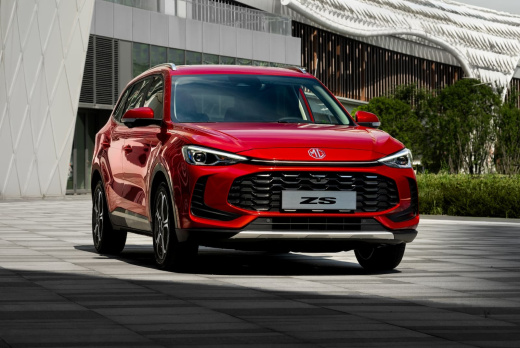
How to Reset the Service Light on a 2025 MG ZS
Model: MG ZS
MK 2
- Years:
2024, 2025, 2026
Video tutorial
To reset the maintenance warning on the 2025 MG ZS, turn on the instrument cluster without starting the engine and activate the multimedia system. Access the settings menu through the central display and go to the service section protected by a password. After entering the required access code, locate the function related to the maintenance interval and proceed to reset the counter, confirming the operation on the screen. When finished, exit the menu, turn off the ignition, and turn it back on to verify that the warning has disappeared. The availability and naming of the controls may vary depending on the software version. The reset should be performed after the service.
Posted on 10 November 2026 by ScegliAuto
Related tutorials
MG ZS
(2017-2024 /
Zs11)
To reset the service light on the MG ZS, turn on the ignition without starting the engine. Use the buttons on the steering wheel or dashboard to ente…

MG ZS
(2017-2024 /
Zs11)
After performing a complete service on your 2021 MG ZS, you will want to know how to reset the service light to know exactly when to perform the next…

MG ZS
(2017-2024 /
Zs11)
In this video, we will see how to reset the service light of the MG ZS: we turn on the car without starting the engine and without pressing the brake…
Other guides you may be interested in
|
Where is the Starter Motor Fuse Located in the Renault Scenic?
In this video, you can see where the starter motor fuse is located in the Renault Megane, which is the first component to check in case of sudden malfunction. As shown, it is found in the fuse box within the engine compartment, to your right when facing the vehicle. To access it, first remove the plastic cover and then lift the fuse box. The fuse in question is located on the lower side, between the two connectors, and is rated at 25A. If faulty, ensure you use a replacement with the same specifications. by ScegliAuto More videos
|
|
For advertising on this site Write to info@scegliauto.com
ScegliAuto is not responsible for any inaccuracy of the data in the lists. To report any inaccuracy or your business (if you own the business in question), please write to info@scegliauto.com
Number of seconds to generate the page: 0.062
(c) ScegliAuto 2026 - info@scegliauto.com - Privacy policy VAT number: IT01247470535 |
