
|
Do it yourself
| |||
| ||||


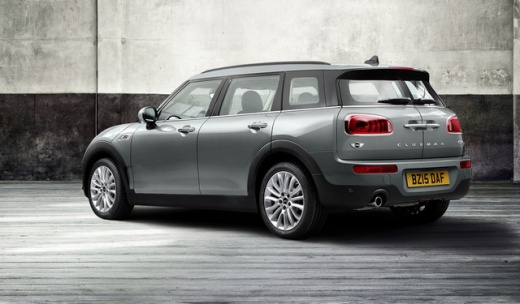
How do you reset the brake wear indicator light on the Mini Cooper?
Model: Mini Mini
F56, F57, F54, F55
- Years 2014-2023
To reset the brake wear indicator light on the instrument panel of the Mini Cooper, you will need to turn on the instrument panel and then navigate through the menu with the cursor located on the lever to the left of the steering wheel: you should stop when the "Service info" option appears. At this point, you can press the button on the right of the instrument panel until the brake wear indicator light with the remaining kilometers until the next brake pad replacement appears: with the cursor on the lever to the left, you can select the "Reset" option and in this way the light will turn off and the replacement interval will be reset.
Posted on 14 September 2024 by ScegliAuto
Video tutorial
Related tutorials
Mini
(2007-2014 /
R56, R55, R57)
Let's see the instructions on how to reset the brake wear indicator light on the Mini Cooper, following these simple steps. It may sometimes be neces…

Mini
(2017-2023 /
Countryman2, F60)
In order to reset the brake wear indicator light of the Mini Cooper, you first need to replace the excessively worn brake pads by disconnecting the c…

Mini
(2007-2014 /
R56, R55, R57)
It will be possible to reset the brake wear indicator light that appears on the instrument panel of the Mini Cooper by inserting the ignition key int…
Other guides you may be interested in
|
Frequently Asked QuestionsHow to reset the tyre pressure warning light on the Suzuki Jimny?
To reset the tyre pressure warning light on the Suzuki Jimny, first inflate the tyres to the pressure value indicated on the corresponding sticker: this is located at the bottom of the driver's door pillar. Once the tyres are inflated, insert the ignition key and turn on the instrument panel: select the screen that indicates the tyre pressures, checking that the values change. After a few seconds, the tyre pressure warning light will automatically turn off. by ScegliAuto More videos
|
|
For advertising on this site Write to info@scegliauto.com
ScegliAuto is not responsible for any inaccuracy of the data in the lists. To report any inaccuracy or your business (if you own the business in question), please write to info@scegliauto.com
Number of seconds to generate the page: 0.132
(c) ScegliAuto 2026 - info@scegliauto.com - Privacy policy VAT number: IT01247470535 |
