
|
Do it yourself
| |||
| ||||


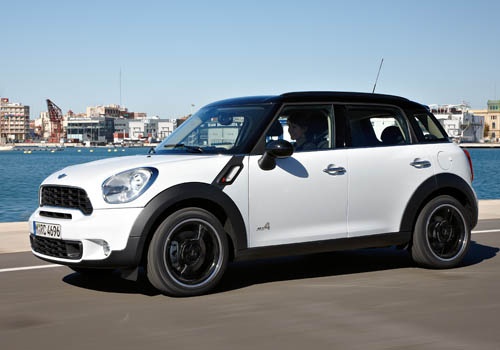
Video tutorial
In this very useful video tutorial today you will be able to see the entire operation step by step to set the clock on your Mini Countryman, model without central navigation display produced from the year 2010 to the year 2016. Let's start the procedure immediately by pressing the "MENU" button and, using the right knob, we select the "CONFIG" option, then we continue by selecting the option related to the vehicle's time "TIME". Once we have done this, we will find ourselves in the screen for editing the time which we can modify by pressing the "HRS" and "MIN" buttons and always using the right knob as shown in the video.
Posted on 25 December 2024 by ScegliAuto
Related tutorials
Mini
(2007-2014 /
R57, R56, R55)
Learn how to set the clock on a Mini Cooper with the central clock display system. Display the clock on the screen (if it is not already visible, pre…

Mini
(2007-2014 /
R57, R56, R55)
Today we will learn how to set the time on the instrument panel of the Mini Cooper. First, we get into the car and start up the instrument panel; the…
Mini
(2001-2007 /
R53, R50, R52)
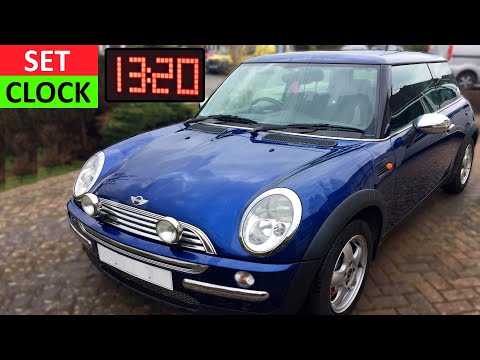
To set the clock in a Mini, insert the ignition key into the ignition barrel and turn it to switch on the instrument cluster. The car's clock is loca…
Other guides you may be interested in |
How to Reset the Tyre Pressure Warning Light on the Jeep Renegade?
To reset the tyre pressure warning light on the Jeep Renegade, inflate the tyres until they reach the recommended pressure: this value is indicated on the sticker attached to the driver’s door pillar. Once the tyres are properly inflated, navigate through the menu that appears on the instrument cluster until you find the tyre pressure option. At this point, press and hold the OK button on the right side of the steering wheel to make the warning light disappear. by ScegliAuto More videos
|
|
For advertising on this site Write to info@scegliauto.com
ScegliAuto is not responsible for any inaccuracy of the data in the lists. To report any inaccuracy or your business (if you own the business in question), please write to info@scegliauto.com
Number of seconds to generate the page: 0.056
(c) ScegliAuto 2026 - info@scegliauto.com - Privacy policy VAT number: IT01247470535 |
