
|
Do it yourself
| |||
| ||||


How to reset the service light on the Mini Countryman?
Model: Mini Mini
U25, Countryman3
- Years 2024-2026
In this tutorial we can see how to reset the service in the Mini Countryman, an extremely simple and fast operation, to be carried out only once all scheduled maintenance work has been completed. Let's start by going inside the cockpit, then insert the key and turn on the instrument panel, it is not necessary to start the engine. Next, we reach the main screen on the central display, press and hold the button depicting a star on the steering wheel and release it when the maintenance menu appears. At this point, all that remains is to scroll through the various available services and perform the reset by pressing the button again.
Posted on 22 February 2025 by ScegliAuto
Video tutorial
Related tutorials
Mini
(2017-2023 /
Countryman2, F60)
To reset the "Service" light on a Mini Countryman, start by turning on the instrument panel without starting the engine. Press the button located bel…

Mini
(2017-2023 /
Countryman2, F60)
You can reset the Service light that is indicated on the instrument panel of the Mini Countryman by turning on the ignition: once the ignition is act…

Mini
(2010-2016 /
R60, Countryman1)
The legendary Mini, specifically the Mini Countryman featured in the video, does not differ from other cars in terms of warning lights, in fact, we a…
Other guides you may be interested in
|
How to Remove the Rear Light on a Fiat Grande Punto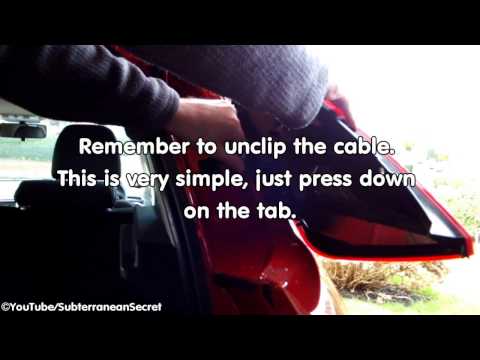
How to remove the rear light on a Fiat Grande Punto? In this guide, learn how to replace damaged bulbs: open the boot lid, unscrew (with a socket spanner or screwdriver with insert) the fastening screws located at the sides of the rear light; once the light is free from any constraints, detach it from the bodywork (disconnect the respective connectors for the bulb power supply). Replace the damaged bulbs with identical size and voltage parts. Finally, refit the rear light and reverse the assembly of the other parts. by ScegliAuto More videos
|
|
For advertising on this site Write to info@scegliauto.com
ScegliAuto is not responsible for any inaccuracy of the data in the lists. To report any inaccuracy or your business (if you own the business in question), please write to info@scegliauto.com
Number of seconds to generate the page: 0.138
(c) ScegliAuto 2026 - info@scegliauto.com - Privacy policy VAT number: IT01247470535 |
