
|
Do it yourself
| |||
| ||||


How to change the language on a Mini Cooper
Model: Mini Mini
R60, Countryman1
- Years 2010-2016
In this very short video, we see how to return to our language on the Mini's onboard computer, starting from an unknown and incomprehensible language. We turn on the instrument panel, touch the icon with the car and the word "MINI" on the central panel, which is the vehicle settings icon. We select the second option, which is the language, then the second voice again (which is the language list). A list of languages follows, each written in its own native language, so easily recognizable. The system changes language immediately after the selection, without the need for further confirmation.
Posted on 25 September 2025 by ScegliAuto
Video tutorial
Related tutorials
Mini
(2014-2023 /
F55, F56, F57, F54)
Let's see how to change the language on the Mini infotainment system, namely the CIC IDrive system: from the multimedia screen, go to the bottom opti…
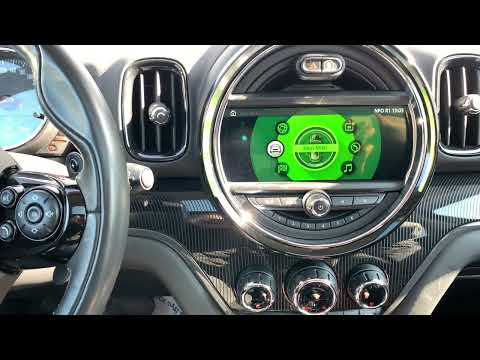
Mini
(2017-2023 /
F60, Countryman2)
Changing the language of the multimedia content of the 2017 Mini Countryman's onboard computer is a very simple operation that can be done independen…
Mini
(2007-2014 /
R55, R57, R56)
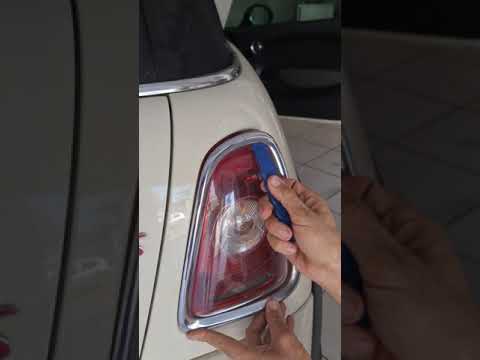
Let's see how to proceed to disassemble the rear headlight of the Mini Cooper S in case we need to replace a burned out bulb or to change the model. …
Other guides you may be interested in
|
How to Replace the Front Headlight Bulbs of a Toyota Rav4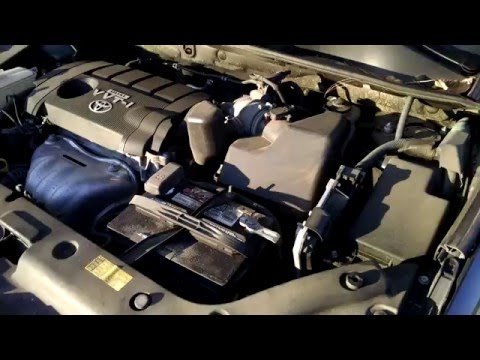
Want to change the front headlight bulbs of a Toyota Rav4 and don't know how? Follow these steps. Open the bonnet and secure it. Locate the inspection caps at the back of the headlights and remove them. At this point, you will find the bulbs with metal clips. Pull the bulb holder out of the headlight and extract the damaged bulb. Fit the new bulb (ensuring it is the correct type and size) and insert the bulb holder back into the headlight housing. Finally, close the headlight with the inspection cap. Test the lights to ensure they are functioning correctly. by ScegliAuto More videos
|

|
For advertising on this site Write to info@scegliauto.com
ScegliAuto is not responsible for any inaccuracy of the data in the lists. To report any inaccuracy or your business (if you own the business in question), please write to info@scegliauto.com
Number of seconds to generate the page: 0.056
(c) ScegliAuto 2026 - info@scegliauto.com - Privacy policy VAT number: IT01247470535 |
