
|
Do it yourself
| |||
| ||||


|
Let's see how to change the time on a Mini through the multimedia screen: go to "my Mini" and select "system settings" and then select the "date and time" option. Check the time zone, which seems correct, we can choose to set the time in 12 or 24 hours, then go to the time option and correct the time according to our needs; go down to the date and do the same operation. Alternatively, we can click on the right side of the time and the screen will automatically take us to the function we want to modify. The changes we make from the multimedia screen will also appear on the instrument panel.
Posted on 18 November 2025 by ScegliAuto
Video tutorial
Related tutorials
Mini
(2010-2016 /
R60, Countryman1)
In this very short video tutorial today we can see how to adjust the time of the onboard computer on a Mini Cooper Countryman, first generation model…

Mini
(2014-2023 /
F55, F56, F57, F54)
Today we will explain how to set the time on a Mini Countryman R model car. To set the time and select the format, we need to turn on the instrument …

Mini
(2017-2023 /
F60, Countryman2)
In this video we see how to change the license plate light of a Mini: with a flat head screwdriver, we lever on the corner of the light fixture we wa…
Other guides you may be interested in |
How to Replace the Fuel Pump on an Opel Corsa C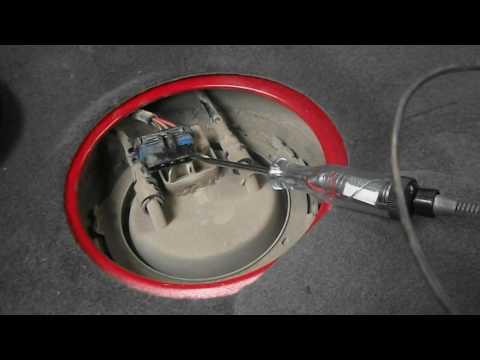
Usually, upon the first ignition of the dashboard, a sound similar to a spray can be heard from the rear of the cabin: this is the fuel pump pressurising the system and preparing to supply fuel to the engine for ignition; if this sound is not heard, start by checking the integrity of the relevant power fuse, and if it is intact, verify that voltage reaches the power connector; if current is present, you can also try powering the pump directly to confirm it is faulty; replacing it is very simple, just disconnect the connector and hoses, then unclip the retaining ring and remove it to replace it with a new one. by ScegliAuto More videos
|

|
For advertising on this site Write to info@scegliauto.com
ScegliAuto is not responsible for any inaccuracy of the data in the lists. To report any inaccuracy or your business (if you own the business in question), please write to info@scegliauto.com
Number of seconds to generate the page: 0.046
(c) ScegliAuto 2026 - info@scegliauto.com - Privacy policy VAT number: IT01247470535 |
