
|
Do it yourself
| |||
| ||||


How to reset the TPMS light on the Mini Cooper.
Model: Mini Mini
R55, R57, R56
- Years 2007-2014
Today we will see how to reset the tire pressure warning light on a Mini Cooper model R56, produced from 2007 to 2014. The tire pressure reset should be performed after adjusting the tire pressure or after replacing a flat tire, as in the case of our tutorial video. To access the settings menu, we need to press the BC button located at the end of the left lever of the steering wheel. By repeatedly pressing the button, we navigate within the menu until we select the SET option with the TPMS warning symbol. We hold the button for 10 seconds to update the tire pressure, and once the warning light has been configured, we restart the instrument cluster.
Posted on 20 December 2025 by ScegliAuto
Video tutorial
Related tutorials
Mini
(2007-2014 /
R55, R57, R56)
When the TPMS light comes on in the Mini Cooper, it means that the tire pressure needs to be adjusted. Once this operation is done, you can proceed w…

Mini
(2007-2014 /
R55, R57, R56)
Today's information will show us how to reset the tire pressure warning light on the Mini Cooper; before performing the TPMS sensor reset, it is nece…

Mini
(2007-2014 /
R55, R57, R56)
Manually resetting the TPMS light on your Mini Cooper R56 (2013) is really simple. To complete the operation without any difficulty, just follow the …
Other guides you may be interested in
|
How to Change the Oil in the Transmission of a Volvo XC70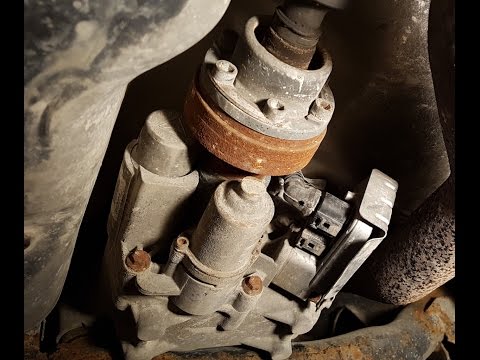
Watch this video to learn how to change the oil in the transmission of a Volvo XC70. Position your car on a column lift and raise it to a comfortable height for disassembly. To change the transmission oil, you need to remove the bolts using a socket spanner. (follow the video) Once the bolts are removed, let the fluid drain into a container. Prepare to refit all the bolts on the transmission with the socket spanner, then top up with the appropriate transmission fluid. Finally, test the correct operation of the transmission. by ScegliAuto More videos
|

|
For advertising on this site Write to info@scegliauto.com
ScegliAuto is not responsible for any inaccuracy of the data in the lists. To report any inaccuracy or your business (if you own the business in question), please write to info@scegliauto.com
Number of seconds to generate the page: 0.069
(c) ScegliAuto 2026 - info@scegliauto.com - Privacy policy VAT number: IT01247470535 |
