
|
Do it yourself
| |||
| ||||


|
Video tutorial
Let's see how to replace the emblem located inside the alloy wheel of the Mini. First, we need to find the adhesive emblems that we like the most, and they must also be the correct size for our wheel. There are all kinds available online, so we believe it's unnecessary to provide a purchase recommendation, as this depends on personal taste. We clean the wheel thoroughly and then remove all the glue residue from the inside of the wheel; if necessary, we use fine-grit sandpaper to completely remove it. We degrease thoroughly with isopropyl alcohol and accurately measure the diameter of the housing, so we can purchase the right item: the best ones are made of stamped aluminum, and when we remove the adhesive from the back, we must be very careful not to touch it with bare hands. It's very important to work at a mild temperature: excessive cold or heat reduces the adhesiveness of automotive double-sided tape, which is the only one capable of providing a uniform seal; we should not combine it with all-purpose glue, super glues, or silicone. Before washing the car, we should wait at least 72 hours.
Posted on 3 January 2026 by ScegliAuto
Related tutorials
Mini
(2007-2014 /
R57, R56, R55)
To replace the bonnet badge on a Mini Cooper, open the bonnet and work from the inside of the front grille. Locate the pins or tabs that secure the b…

Mini
(2007-2014 /
R57, R56, R55)
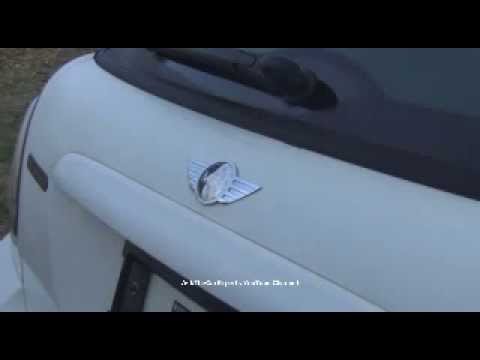
In this video, we will see how to replace a damaged Mini badge on a Mini Cooper: the logo can be easily found on any e-commerce platform, for example…
Mini
(2001-2007 /
R53, R50, R52)
With exposure to sunlight and weather conditions, it is likely that the manufacturer’s badge will deteriorate over time. If you intend to replace it,…
Other guides you may be interested in |
How to Reset the AdBlue Warning Light on a Peugeot Boxer
To reset the AdBlue system on a 2018 Peugeot Boxer, follow these steps: Start the engine and ensure the vehicle is parked in a well-ventilated area. Locate the "MENU" button on the dashboard or steering wheel controls. Press and hold the "MENU" button until the menu options appear on the display. Use the arrow buttons or scroll wheel to access the "Vehicle Settings" or "Settings" menu. Select the "AdBlue" or "AdBlue System" option. Look for the "Recharge" or "Reset" option in the AdBlue menu. Once you find the reset option, select it and confirm your choice when prompted. The system will be reset, and a confirmation message may appear on the display. Turn off the engine and wait a few seconds. Restart the engine and check that the AdBlue system has been reset. by ScegliAuto More videos
|
|
For advertising on this site Write to info@scegliauto.com
ScegliAuto is not responsible for any inaccuracy of the data in the lists. To report any inaccuracy or your business (if you own the business in question), please write to info@scegliauto.com
Number of seconds to generate the page: 0.021
(c) ScegliAuto 2026 - info@scegliauto.com - Privacy policy VAT number: IT01247470535 |
