
|
Do it yourself
| |||
| ||||


How to reset the service in the Mini Cooper?
Model: Mini Mini
R56, R57, R55
- Years 2007-2014
Resetting the service in the Mini Cooper is very simple, let's see how to proceed in the attached video tutorial. Obviously, this is a procedure to be carried out only after carrying out the scheduled maintenance work, such as oil change, filter change etc. Insert the key and turn on the instrument panel, hold down the button on the right of the speedometer for 5 seconds until a menu appears on the display. At this point, we scroll through the menu using the BC button on the left lever to the item we want to reset, in this case the oil service. We then hold down the BC button to confirm and repeat one last time to reset.
Posted on 17 May 2022 by ScegliAuto
Video tutorial
Related tutorials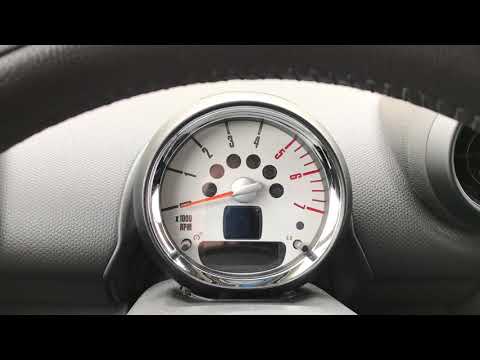
Mini
(2007-2014 /
R56, R57, R55)
In a few simple steps, we will reset the maintenance light for the engine oil change of the Mini Cooper. First, get into the car and turn on the dash…

Mini
(2014-2023 /
F57, F56, F55, F54)
Like all cars, the Mini Cooper also has its maintenance program, detailed in the user manual. The oil change and oil filter replacement are essential…

Mini
(2017-2023 /
Countryman2, F60)
In this tutorial, we can see how to reset the brake service in the Mini Cooper, an extremely simple and quick operation, to be carried out only after…
Other guides you may be interested in
|
How to Replace the Window Switch Button on a Mercedes C-Class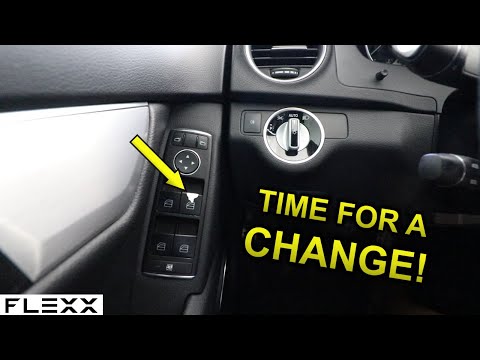
How do you remove the window switch button located in the driver side door panel of a Mercedes C-Class? This video explains how to proceed. Before starting the disassembly, disconnect the battery terminals in the engine compartment (if you need to disconnect electrical connectors). Use a plastic trim tool to pry between the button and the plastic of the switch panel. Once you have removed the button from the switch panel, install the new button inside (push and lock it into the designated plastic). Test the button to ensure it functions correctly. by ScegliAuto More videos
|

For advertising on this site Write to info@scegliauto.com
ScegliAuto is not responsible for any inaccuracy of the data in the lists. To report any inaccuracy or your business (if you own the business in question), please write to info@scegliauto.com
Number of seconds to generate the page: 0.101
(c) ScegliAuto 2026 - info@scegliauto.com - Privacy policy VAT number: IT01247470535 |
