
|
Do it yourself
| |||
| ||||



Video tutorial
To update the time on this vehicle, refer to the tutorial video and the instructions below. First, sit in the driver's seat and insert the ignition key to turn on the dashboard. Next, press the button marked "BC" located on the terminal of the multifunction lever on the left side of the steering wheel and scroll through the various functions of the onboard computer until you reach the "set" indication. Press this button again to access the time setting submenu. Press the button again and hold it down to highlight the hour, then modify it by pressing the same button, and proceed to change the minutes following the same procedure.
Updated on 22 May 2026 by ScegliAuto
Related tutorials
Mini
(2007-2014 /
R56, R57, R55)
Setting the time and minutes on a Mini Cooper vehicle is a simple and quick process. The first step is to turn on the vehicle's instrument panel. The…

Mini
(2007-2014 /
R56, R57, R55)
These brief and simple steps will show you how to adjust the time on the central display of the Mini Cooper. First, get in the vehicle and turn on th…
Mini
(2001-2007 /
R50, R52, R53)
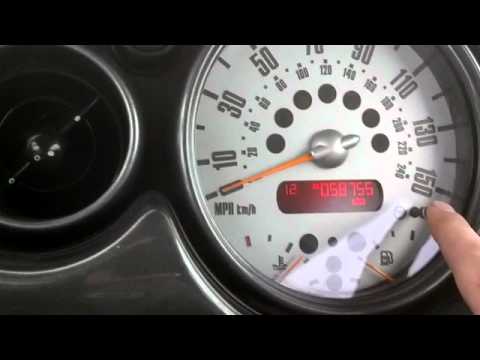
If the time displayed on the small screen of your Mini Cooper R53 (2001-2007) is incorrect, you can easily change it manually by following these step…
Other guides you may be interested in
|
Replacing the Gear Knob on the Renault Espace
The following steps will show you how to remove and replace the gear knob of the manual gearbox on the Renault Espace. First, get in the vehicle and start by removing the small upper cover of the knob; to remove it, simply pull the gear knob upwards with force to detach it from the lever, as shown in the video. At this point, remove and replace the gear gaiter if necessary, installing the new one; finally, insert the new gear knob, securing it properly onto the lever (ensure there is no play between the lever and the knob). by ScegliAuto More videos
|
|
For advertising on this site Write to info@scegliauto.com
ScegliAuto is not responsible for any inaccuracy of the data in the lists. To report any inaccuracy or your business (if you own the business in question), please write to info@scegliauto.com
Number of seconds to generate the page: 0.122
(c) ScegliAuto 2026 - info@scegliauto.com - Privacy policy VAT number: IT01247470535 |
