
|
Do it yourself
| |||
| ||||


How to reset the tire warning light in Mini Cooper?
Model: Mini Mini
R60, Countryman1
- Years 2010-2016
In this tutorial we can see how to reset the tire warning light on the Mini Cooper, a very simple and quick operation, to be performed only after restoring the correct pressure on each tire. First of all, insert the key and turn on the instrument panel, after which we reach the "Set/Info" screen by quickly pressing the "BC" button, located at the end of the left lever. Subsequently, we hold down the same key to enter the menu, we reach the tire section, depicting the same warning light, and we carry out the reset by holding down the "BC" key again.
Posted on 27 February 2023 by ScegliAuto
Video tutorial
Related tutorials
Mini
(2001-2007 /
R52, R50, R53)
If the tire pressure warning light on your Mini Cooper R52 continues to stay on constantly on the instrument panel and you want to manually reset it,…

Mini
(2007-2014 /
R57, R55, R56)
Today's information will show us how to reset the tire pressure warning light on the Mini Cooper; before performing the TPMS sensor reset, it is nece…

Mini
(2010-2016 /
R60, Countryman1)
Below we will see the information related to resetting the tire pressure warning light of the Mini Cooper; before resetting the TPMS warning, it is n…
Other guides you may be interested in
|
How to Remove the Centre Console on a Renault Scenic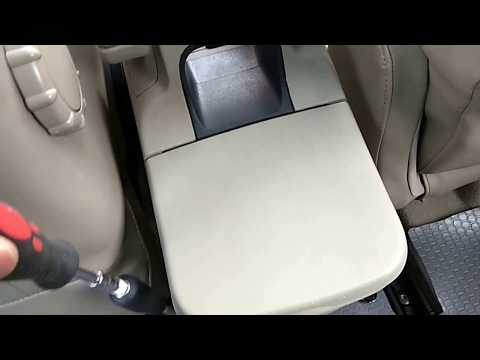
Watch this video to learn how to remove the glove compartment from the rear cover of the centre console on a Renault Scenic. Use a plastic lever to pry at the edge of the side plastics as shown in the video. Once the plastics are removed, unscrew the screws located at the sides of the centre console with a suitable screwdriver, and disconnect all the power connectors. Remove the side rests from the glove compartment. Fit the new piece onto the centre cover and proceed with the assembly of the remaining parts, working in reverse order. by ScegliAuto More videos
|

|
For advertising on this site Write to info@scegliauto.com
ScegliAuto is not responsible for any inaccuracy of the data in the lists. To report any inaccuracy or your business (if you own the business in question), please write to info@scegliauto.com
Number of seconds to generate the page: 0.103
(c) ScegliAuto 2026 - info@scegliauto.com - Privacy policy VAT number: IT01247470535 |
