
|
Do it yourself
| |||
| ||||


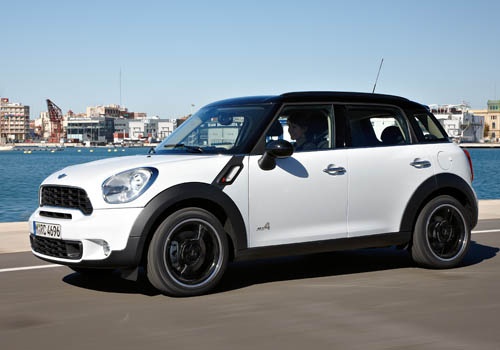
How to reset the tire pressure light on the Mini Cooper
Model: Mini Mini
Countryman1, R60
- Years:
2010, 2011, 2012, 2013, 2014, 2015, 2016
Video tutorial
Below we will see the information related to resetting the tire pressure warning light of the Mini Cooper; before resetting the TPMS warning, it is necessary for all four tires to be at the correct pressure. So, we get on board the car and start the instrument panel; then we use the controls on the left lever to access the settings of the onboard computer and then on the tire pressure option, as shown in the video. At this point, we confirm the reset of the TPMS warning light by pressing the central button, thus clearing the warning on the instrument panel!
Posted on 16 November 2025 by ScegliAuto
Related tutorials
Mini
(2001-2007 /
R50, R52, R53)
If the tire pressure warning light on your Mini Cooper R52 continues to stay on constantly on the instrument panel and you want to manually reset it,…
Mini
(2017-2023 /
F60, Countryman2)
In this brief guide, we will look at the steps to reset the tyre pressure warning light on a Mini Cooper S. Before performing the reset, ensure all f…
Mini
(2001-2007 /
R50, R52, R53)
This brief video tutorial shows you the procedure to reset the tyre pressure warning light on a Mini Cooper, model produced from 2001 to 2007. First,…
Other guides you may be interested in
|
How to Open the Fuel Flap and Cap on an MG HS
This guide will show you how to open the fuel flap and cap on an MG HS in simple steps. To open the fuel flap, ensure the vehicle is unlocked; then press on the edge of the flap to open it, as shown in the video. Next, unscrew the fuel cap counterclockwise to refuel at the pump; once finished, screw the cap back on until it clicks, and finally close the fuel flap! by ScegliAuto More videos
|
|
For advertising on this site Write to info@scegliauto.com
ScegliAuto is not responsible for any inaccuracy of the data in the lists. To report any inaccuracy or your business (if you own the business in question), please write to info@scegliauto.com
Number of seconds to generate the page: 0.160
(c) ScegliAuto 2026 - info@scegliauto.com - Privacy policy VAT number: IT01247470535 |
