
|
Do it yourself
| |||
| ||||


How to reset the brake service light on the Mini Cooper?
Model: Mini Mini
F60, Countryman2
- Years 2017-2023
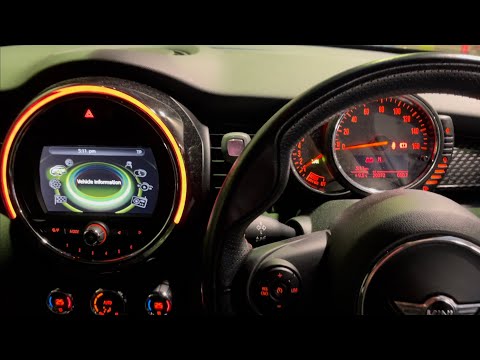
In this tutorial, we can see how to reset the brake service in the Mini Cooper, an extremely simple and quick operation. Before proceeding, make sure you have completed all the required scheduled maintenance tasks. Let's start by going inside the cabin and turning on the instrument panel. It is not necessary to start the engine. Then, press and hold the button located to the right of the speedometer until the maintenance menu appears. Once done, scroll through the various available services with quick presses of the same button, and when you find the brake service, press and hold it one last time.
Posted on 4 November 2023 by ScegliAuto
Video tutorial
Related tutorials
Mini
(2017-2023 /
F60, Countryman2)
In this tutorial, we can see how to reset the brake service in the Mini Cooper, an extremely simple and quick operation, to be carried out only after…
Mini
(2014-2023 /
F57, F54, F56, F55)
In this tutorial, we can see how to reset the brake service in the Mini Cooper, a very simple and quick operation to be performed only after completi…

Mini
(2001-2007 /
R50, R52, R53)
If the tire pressure warning light on your Mini Cooper R52 continues to stay on constantly on the instrument panel and you want to manually reset it,…
Other guides you may be interested in
|
How to Remove the Indicator Light from the External Mirror of a Jeep Renegade
How to remove the indicator light from the external mirror of a Jeep Renegade? Follow these steps: use a plastic or rubber lever to pry between the edge of the mirror frame and the mirror glass. Pry until the glass separates from the mirror; this is a delicate operation as the glass or the mirror itself may break. Once the mirror is removed, disconnect the power connector for the glass and press on the locking clips to detach the mirror cover. Remove the indicator from the mirror and replace the bulbs. by ScegliAuto More videos
|

|
For advertising on this site Write to info@scegliauto.com
ScegliAuto is not responsible for any inaccuracy of the data in the lists. To report any inaccuracy or your business (if you own the business in question), please write to info@scegliauto.com
Number of seconds to generate the page: 0.052
(c) ScegliAuto 2026 - info@scegliauto.com - Privacy policy VAT number: IT01247470535 |
