
|
Do it yourself
| |||
| ||||


How to replace the battery of the Mini Cooper key.
Model: Mini Mini
F55, F54, F57, F56
- Years 2014-2023
When the key of the Mini Cooper stops working, the cause can be traced back to a dead battery. Once replaced, the key will start working again. Let's begin by replacing the battery, by removing the metal key from the remote. To do this, simply pull it outwards. Next, using a flathead screwdriver, remove the cover of the remote to access the battery. Finally, remove the old battery and insert a new one. Close the cover and reinsert the metal key. All that's left is to check if the key is working.
Posted on 24 January 2024 by ScegliAuto
Video tutorial
Related tutorials
Mini
(2007-2014 /
R57, R55, R56)
Good morning, today's goal is to replace the battery of our Mini Cooper key. Let's start by unhooking and removing the back cover of the key, leverag…

Mini
(2023-2026 /
F66)
If you want to replace the small battery inside the remote control of your new Mini Cooper F66 by yourself, just follow the steps described in the fo…

Mini
(2007-2014 /
R57, R55, R56)
The selected video shows the steps to be followed in order to replace the battery of the key remote control of a Mini Cooper car. Take the remote con…
Other guides you may be interested in
|
Reset the Service Light on Fiat Bravo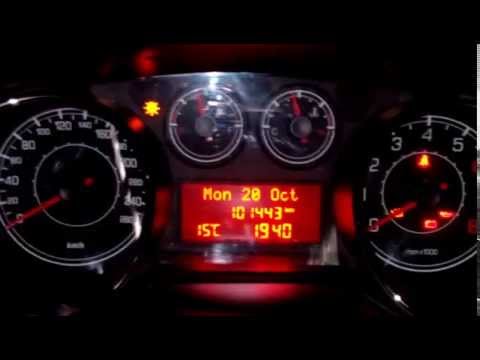
Has the service light appeared on the instrument cluster of your Fiat Bravo? Let's reset it. Turn on the ignition, press the "Set" button located on the central dashboard, then, once in the settings menu, scroll using the up/down buttons until you find the "Reset Maintenance" option. Select it with the set button to turn off the tyre pressure warning light and exit the settings menu. Check the instrument cluster by turning it off and on again with the ignition key. Retry the reset if the issue persists. by ScegliAuto More videos
|

|
For advertising on this site Write to info@scegliauto.com
ScegliAuto is not responsible for any inaccuracy of the data in the lists. To report any inaccuracy or your business (if you own the business in question), please write to info@scegliauto.com
Number of seconds to generate the page: 0.139
(c) ScegliAuto 2026 - info@scegliauto.com - Privacy policy VAT number: IT01247470535 |
