
|
Do it yourself
| |||
| ||||


How to reset the service in the Mini Countryman?
Model: Mini Mini
Countryman2, F60
- Years 2017-2023
In this tutorial we can see how to reset the service in the Mini Countryman, an extremely simple and quick operation, to be carried out only once all scheduled maintenance work has been completed. Let's start by going inside the cabin, then insert the key and turn on the instrument panel. Next, press and hold the button located on the rear left side of the dashboard to activate the maintenance menu, scroll through the various available services, and once you reach the one to reset, perform the reset by pressing the button again.
Posted on 3 March 2024 by ScegliAuto
Video tutorial
Related tutorials
Mini
(2017-2023 /
Countryman2, F60)
To reset the "Service" light on a Mini Countryman, start by turning on the instrument panel without starting the engine. Press the button located bel…

Mini
(2017-2023 /
Countryman2, F60)
As we can see in this tutorial, resetting the service light in the Mini Countryman is very simple. Before doing this, it is obviously necessary to ca…
Mini
(2017-2023 /
Countryman2, F60)
.. In this tutorial, we can see how to reset the service in the Mini Countryman, an extremely simple and quick operation to be performed.. …
Other guides you may be interested in
|
How to Remove the Spark Plugs on an Opel Astra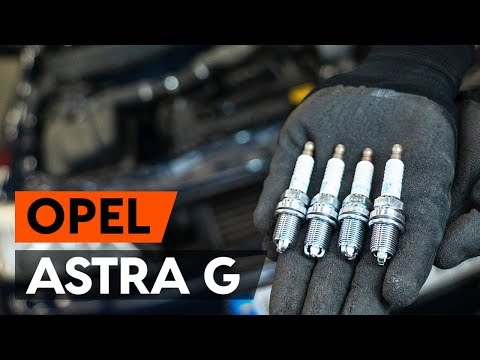
Want to remove the spark plugs on an Opel Astra? Here's how to proceed: pull the engine bay release lever and lift the front bonnet, securing it. Remove the plastic cover on the soundproofing panel covering the engine (if present), then remove the pins on the coil bar using a screwdriver. Disconnect the coils by hand after unplugging the power connector, then use your socket to unscrew the spark plugs and pull them out of the cylinder head. Take the new spark plugs and guide them into the engine head with the socket extension, tighten them and reconnect the respective power connectors. Finally, close the engine bay. by ScegliAuto More videos
|

|
For advertising on this site Write to info@scegliauto.com
ScegliAuto is not responsible for any inaccuracy of the data in the lists. To report any inaccuracy or your business (if you own the business in question), please write to info@scegliauto.com
Number of seconds to generate the page: 0.115
(c) ScegliAuto 2026 - info@scegliauto.com - Privacy policy VAT number: IT01247470535 |
