
|
Do it yourself
| |||
| ||||



How to Reset the Service in the Mini Countryman?
Model: Mini Mini
F60, Countryman2
- Years:
2017, 2018, 2019, 2020, 2021, 2022, 2023
Video tutorial
This tutorial shows how to reset the service in the Mini Countryman, a very simple and quick operation to perform only after completing all required scheduled maintenance work. First, go inside the cabin, then insert the key and turn on the instrument panel. Next, press and hold the button on the dashboard to activate the maintenance menu, scroll through the various available services, and once you find the one to reset, perform the reset by holding down the button again. Finally, restart the vehicle.
Updated on 13 September 2026 by ScegliAuto
Related tutorials
Mini
(2017-2023 /
F60, Countryman2)
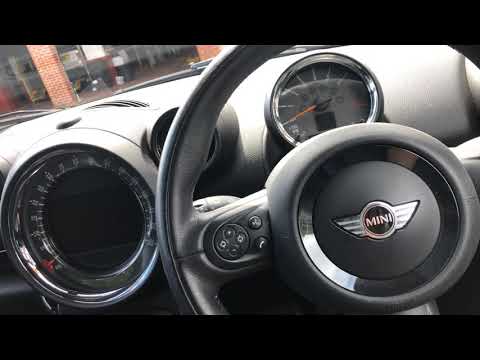
To reset the "Service" light on a Mini Countryman, start by turning on the instrument panel without starting the engine. Press the button located bel…
Mini
(2010-2016 /
Countryman1, R60)
Resetting the service light on a Mini Countryman is very simple. Follow these steps. First, insert the key and turn on the ignition, but do not start…

Mini
(2017-2023 /
F60, Countryman2)
In this brief guide, we will go through the steps necessary to reset the oil change service light on a Mini Countryman. First, get into the vehicle a…
Other guides you may be interested in
|
Location of the Jack and Spare Wheel of the Toyota Yaris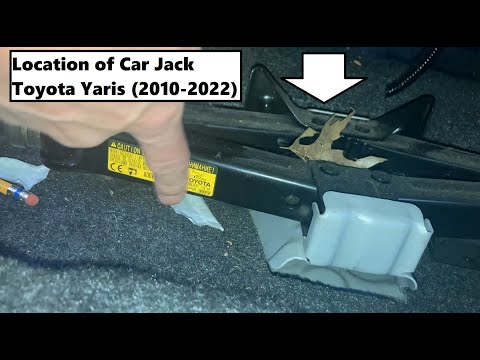
In the unfortunate event that one of the wheels of the Toyota Yaris is punctured, it is useful to know the location of the lifting jack, the spare wheel, the tool to operate the jack, and to unscrew the wheel bolts. The jack is located under the driver's seat, secured to a bracket and protected by a plastic cover, which you can remove by acting on the fixing clips. The spare wheel is located under the floor panel of the boot, secured to the floor by a threaded plastic flange, alongside which you will find the tool, consisting of a bent bar, which is used to operate the jack on one side and to remove the wheel on the other. by ScegliAuto More videos
|
|
For advertising on this site Write to info@scegliauto.com
ScegliAuto is not responsible for any inaccuracy of the data in the lists. To report any inaccuracy or your business (if you own the business in question), please write to info@scegliauto.com
Number of seconds to generate the page: 0.118
(c) ScegliAuto 2026 - info@scegliauto.com - Privacy policy VAT number: IT01247470535 |
