
|
Do it yourself
| |||
| ||||


Replacing Number Plate Lights in Mini Cooper
Model: Mini Mini
R57, R55, R56
- Years 2007-2014
To replace the number plate lights in a Mini Cooper, follow these steps: 1) Disconnect the battery. 2) Locate the light unit where the battery is housed. 3) Using a flathead screwdriver, gently pry open the light unit. 4) Remove the plastic lens. 5) Using a screwdriver, remove the bulb from the light unit. 6) Check the condition of the bulb and replace it if necessary. 7) Carefully reassemble the clear lens, taking care not to damage it. 8) Reconnect the battery. 9) Check the proper functioning of the bulb, ensuring no warning lights are illuminated.
Updated on 24 February 2026 by ScegliAuto
Video tutorial
Related tutorials
Mini
(2007-2014 /
R57, R55, R56)
In this new guide aimed at all of you who own a Mini Cooper R56, we will discover the steps you need to follow to replace the license plate light saf…

Mini
(2007-2014 /
R57, R55, R56)
If the front license plate holder of your Mini Cooper R56 is broken or you simply want to replace it with a new one but you don't know how to do it, …

Mini
(2001-2007 /
R50, R52, R53)
In this guide, we will see the steps that will allow us to disassemble and replace the headliner or the interior lining of the roof of the Mini Coope…
Other guides you may be interested in
|
How to Replace the Gear Knob on a Mini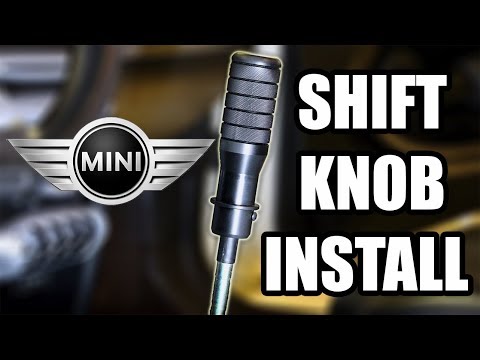
Want to replace the gear knob on a Mini? Follow these steps for the replacement: first, take the knob in your hands and rotate it left and right until you remove it from the gear stick. Use a plastic lever to disconnect the leather gaiter frame (if it needs replacing). For reassembly: fit the new leather gaiter with the clips (if removed), then take the new knob and push it onto the stick in the centre console until it is secured. Finally, test the movement of the stick in the centre console to ensure the knob is correctly fitted. by ScegliAuto More videos
|

|
For advertising on this site Write to info@scegliauto.com
ScegliAuto is not responsible for any inaccuracy of the data in the lists. To report any inaccuracy or your business (if you own the business in question), please write to info@scegliauto.com
Number of seconds to generate the page: 0.076
(c) ScegliAuto 2026 - info@scegliauto.com - Privacy policy VAT number: IT01247470535 |
