
|
Do it yourself
| |||
| ||||


How to check the functioning of the instrument panel of the Mini R56
Model: Mini Mini
R56, R57, R55
- Years 2007-2014
In this video we can see how to check the functioning of the lights of all the dashboard indicators as well as the needles of all the gauges on the onboard computer. There is in fact an easy system to give a general check of all the indicators; all the indicator lights will light up simultaneously and all the gauge needles will move to confirm the exact functioning. We must press and hold down the two buttons located at the base of the central panel of the tachometer, right in front of the steering wheel. All the lights will light up, the needles will reach the end of their range and all the LEDs will illuminate, to verify their proper functioning. Then they will turn off and return to their normal state.
Posted on 22 July 2024 by ScegliAuto
Video tutorial
Related tutorials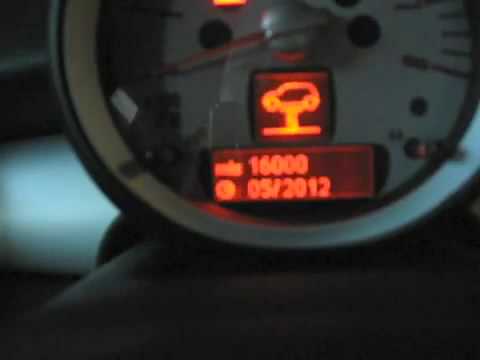
Mini
(2007-2014 /
R56, R57, R55)
In order to reset the Service warning light on the Mini R56, you need to turn on the car's instrument panel, so that you can move around the menu on …

Mini
(2007-2014 /
R56, R57, R55)
The Mini R56 service warning light is reset by turning on the car's instrument panel and pressing the BC button on the lever to the left of the steer…

Mini
(2007-2014 /
R56, R57, R55)
All the fuses of the Mini R56 are contained within the appropriate fuse boxes that are installed on the vehicle: in this car model, it is possible to…
Other guides you may be interested in
|
How to remove the original radio from a Peugeot 308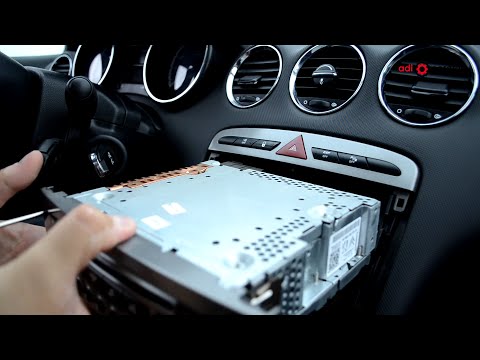
How to remove the original radio from a Peugeot 308? Follow these steps for disassembly: use the original or aftermarket metal keys to remove the stereo from the car. Insert the keys into the holes on the plastic cover of the stereo, pull the stereo towards you as shown in the video, and extract the radio while being careful of the various wiring (disconnect the power connectors and the antenna cable). Finally, reinstall the original radio or a generic brand one using the appropriate adapter (for the input and connector terminals). by ScegliAuto More videos
|

|
For advertising on this site Write to info@scegliauto.com
ScegliAuto is not responsible for any inaccuracy of the data in the lists. To report any inaccuracy or your business (if you own the business in question), please write to info@scegliauto.com
Number of seconds to generate the page: 0.102
(c) ScegliAuto 2026 - info@scegliauto.com - Privacy policy VAT number: IT01247470535 |
