
|
Do it yourself
| |||
| ||||



How to Reset the Oil Light on the Mini Cooper 2013
Model: Mini Mini
R57, R56, R55
- Years:
2007, 2008, 2009, 2010, 2011, 2012, 2013, 2014
Video tutorial
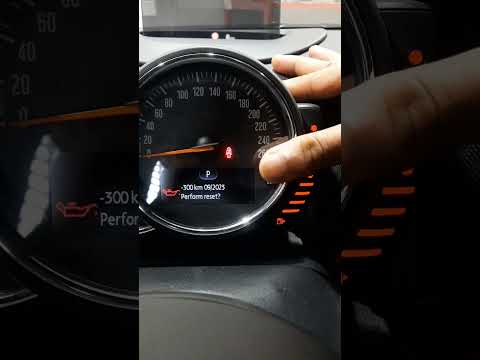
If the oil light on the instrument cluster of your Mini Cooper (2013 model) continues to appear despite having changed it recently along with the appropriate filter, you must manually reset the light. Let's discover the various steps you need to follow. First, turn on the ignition and press the "Trip 0.0" button for about five seconds. Then, press the button at the end of the left steering column multiple times and scroll through the various icons on the display. Once you find the one related to car maintenance, select "Reset" and proceed to restore the oil light.
Updated on 16 October 2026 by ScegliAuto
Related tutorials
Mini
(2007-2014 /
R57, R56, R55)
In this guide, you will discover how to manually reset the oil light on the instrument cluster of your Mini Cooper. First, reach the driver's seat an…

Mini
(2014-2023 /
F55, F54, F56, F57)
Like all cars, the Mini Cooper also has its maintenance program, detailed in the user manual. The oil change and oil filter replacement are essential…
Mini
(2010-2016 /
R60, Countryman1)
Resetting the oil light on a Mini Cooper is very simple. First, turn on the ignition and use the buttons on the lower dashboard to access the menu. O…
Other guides you may be interested in |
How to Open the Fuel Filler Flap in the Hyundai i30?
In this tutorial, you will learn how to open the fuel filler flap in the Hyundai i30, a very simple operation that follows the typical procedure of most vehicles. First, unlock the locks using the designated button on the remote, then open the driver's door, locate the release lever on the left side of the seat, and operate it. Next, move to the fuel filler flap, open it completely, unscrew the cap, and refuel as needed. To close the flap, simply press it gently. by ScegliAuto More videos
|
|
For advertising on this site Write to info@scegliauto.com
ScegliAuto is not responsible for any inaccuracy of the data in the lists. To report any inaccuracy or your business (if you own the business in question), please write to info@scegliauto.com
Number of seconds to generate the page: 0.019
(c) ScegliAuto 2026 - info@scegliauto.com - Privacy policy VAT number: IT01247470535 |
