
|
Do it yourself
| |||
| ||||


How to Repair the Onboard Computer of the Mitsubishi Colt
Model: Mitsubishi Colt
MK 1, Z30
- Years 2004-2012
The onboard computer of the Mitsubishi Colt in the video has an issue with the backlighting that flickers and only works intermittently. First, disassemble it by releasing the lower clips and removing the front frame, then clean the side frame and release the side clips, taking care not to break them. Repeat the operation on the back. Now, open the unit and remove the bulbs: you will find two bolts on the sides and unscrew them so that you can extract the unit from its housing and remove the backlighting bulbs. Test them to see if they work; indeed, in the video, one was functioning and the other was not. The main issue was the contact between the printed circuit and the metal strip supplying power to the bulbs. The solution shown was to apply some solder between the strip and the board. Clean and restore the resin around the chip, unscrewing the bolts that hold the front plastic. Clean with a solvent and a toothbrush; it is advisable to reflow the solder to ensure the contacts are secure, then reassemble and perform a functionality test.
Posted on 18 April 2026 by ScegliAuto
Video tutorial
Related tutorials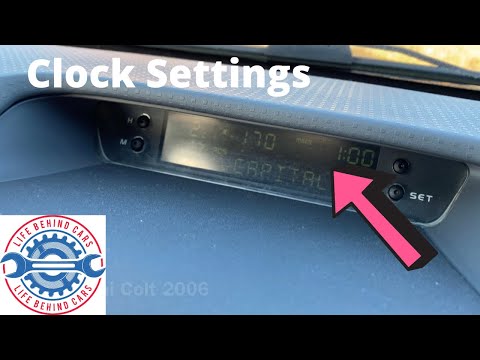
Mitsubishi Colt
(2004-2012 /
MK 1, Z30)
In this guide for Mitsubishi Colt owners, we will describe the various steps necessary for you to independently modify the time displayed on the car'…

Mitsubishi Colt
(2004-2012 /
MK 1, Z30)
The car shown in the video uploaded here, namely the Mitsubishi Colt, is equipped with a low tire pressure warning, often caused by a deflated tire o…

Mitsubishi Colt
(2004-2012 /
MK 1, Z30)
Below are the instructions that will allow you to remove and replace the standard radio of a Mitsubishi Colt in simple steps. First, get inside the v…
Other guides you may be interested in
|
How to reset the tyre pressure warning light on a Hyundai Tucson
Below are the instructions to reset the tyre pressure warning light (TPMS) on a Hyundai Tucson. First, get into the vehicle and turn on the instrument cluster; then navigate to the vehicle settings until you reach the tyre pressure monitor, identifying the tyre with incorrect pressure. At this point, restore all tyre pressures according to the specifications indicated on the label; this will reset the TPMS and the warning light will be cleared from the instrument cluster! by ScegliAuto More videos
|

|
For advertising on this site Write to info@scegliauto.com
ScegliAuto is not responsible for any inaccuracy of the data in the lists. To report any inaccuracy or your business (if you own the business in question), please write to info@scegliauto.com
Number of seconds to generate the page: 0.065
(c) ScegliAuto 2026 - info@scegliauto.com - Privacy policy VAT number: IT01247470535 |
