
|
Do it yourself
| |||
| ||||


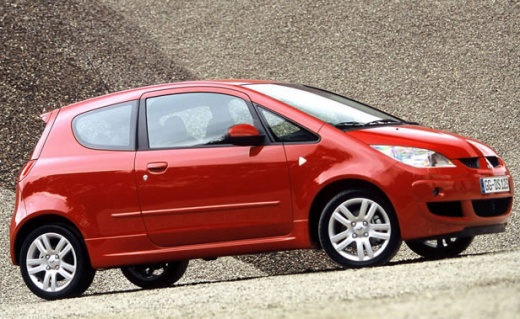
How to Replace the Front Brake Pads on a Mitsubishi Colt
Model: Mitsubishi Colt
MK 1, Z30
- Years:
2004, 2005, 2006, 2007, 2008, 2009, 2010, 2011, 2012
Video tutorial
Discover in this guide the instructions to remove and replace the front brake pads on a Mitsubishi Colt. First, lift the vehicle and remove the front wheel; then, undo the bolts securing the front brake caliper to remove it from the disc, as shown in the video. At this point, remove the old brake pads and replace them with new, correct, and high-quality ones; then clean the caliper of dirt and press the piston to retract it, following the video to the end for reassembly!
Updated on 23 May 2026 by ScegliAuto
Related tutorials
Mitsubishi Colt
(2004-2012 /
MK 1, Z30)
In this mini guide for Mitsubishi Colt owners, learn the steps to correctly replace the front headlight bulb. First, park the car on a flat surface a…

Mitsubishi Colt
(2004-2012 /
MK 1, Z30)
Knowing the exact location of the fuse box in your 2009 Mitsubishi Colt is very important as it allows you to address various fuses in a targeted, sa…

Mitsubishi Colt
(2004-2012 /
MK 1, Z30)
In this video tutorial, learn how to remove and replace the front shock absorbers or suspension of the Mitsubishi Colt. First, open the bonnet and st…
Other guides you may be interested in
|
How to Open the Bonnet of a Toyota C-HR
To open the bonnet of a Toyota C-HR, get inside the vehicle and lift the lever with the bonnet symbol located under the steering wheel. After lifting the lever, you will notice that the bonnet rises a few centimetres. Position yourself in front of the bonnet, insert your hand into the gap, and move the small internal lever from right to left, then lift the bonnet. You can keep the bonnet open during maintenance by positioning it on the support rod. To close the bonnet, remove the support rod and let it drop back down. by ScegliAuto More videos
|
|
For advertising on this site Write to info@scegliauto.com
ScegliAuto is not responsible for any inaccuracy of the data in the lists. To report any inaccuracy or your business (if you own the business in question), please write to info@scegliauto.com
Number of seconds to generate the page: 0.033
(c) ScegliAuto 2026 - info@scegliauto.com - Privacy policy VAT number: IT01247470535 |
