
|
Do it yourself
| |||
| ||||


How to replace the headlight bulb in the 2008 Mitsubishi Lancer
Model: Mitsubishi Lancer
MK 9
- Years 2007-2020
Replacing the headlight bulb in your 2008 Mitsubishi Lancer is undoubtedly one of the simplest and safest DIY operations to perform. With the following mini guide, you will complete the entire procedure without any issues. First, switch off the car and lift the bonnet. Position yourself in front of the headlight that needs replacing and rotate the bulb holder counter-clockwise located inside the engine bay. Remove the faulty bulb and disconnect it from the electrical connector. Finally, connect the new bulb and install it by rotating it clockwise.
Updated on 20 June 2026 by ScegliAuto
Video tutorial
Related tutorials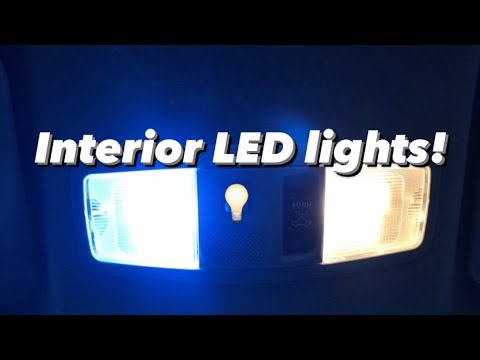
Mitsubishi Lancer
(2007-2020 /
MK 9)
Today's guide will show you how to disassemble and replace the interior light bulb and the boot light bulb of the Mitsubishi Lancer. First, get insid…

Mitsubishi Lancer
(2007-2020 /
MK 9)
If one of the bulbs in the rear light of your Mitsubishi Lancer has stopped working and you want to find out how to replace it yourself, then all you…

Mitsubishi Lancer
(2007-2020 /
MK 9)
To replace the low beam bulb of your latest Mitsubishi Lancer on your own, simply read the following guide carefully and follow all the described ste…
Other guides you may be interested in
|
Where is the Spare Wheel in the Peugeot 5008?
This video shows where the spare wheel is located in the Peugeot 5008 and how to access it, useful in case of a puncture. As shown, the wheel is not in the usual boot compartment but underneath it, outside the vehicle. To free the wheel, first gather the tools provided, then open the boot, locate the small indicated hatch, and open it. Next, loosen the bolt just released using the large socket wrench enough to lower the wheel to the ground. by ScegliAuto More videos
|
|
For advertising on this site Write to info@scegliauto.com
ScegliAuto is not responsible for any inaccuracy of the data in the lists. To report any inaccuracy or your business (if you own the business in question), please write to info@scegliauto.com
Number of seconds to generate the page: 0.513
(c) ScegliAuto 2026 - info@scegliauto.com - Privacy policy VAT number: IT01247470535 |
