
|
Do it yourself
| |||
| ||||


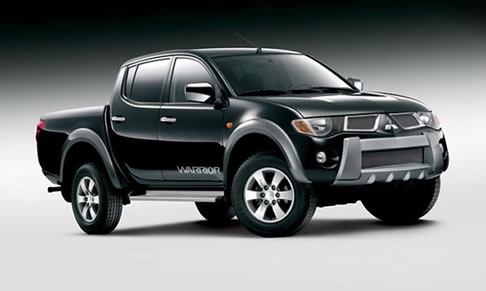
How to Reset the Service Light on a Mitsubishi L200
Model: Mitsubishi L 200
MK 2
- Years:
2005, 2006, 2007, 2008, 2009, 2010, 2011, 2012, 2013, 2014, 2015
Video tutorial
Get in the vehicle and close all four doors, with the key in the OFF position. Press the button next to the speedometer repeatedly until the display shows "service interval". Then press again and hold until the spanner symbol flashes, then release. While the spanner is flashing, press and hold the button next to the speedometer. The display will change from "____" to "clear". After two or three seconds, the new service interval will appear on the display. Release the button. The job is done. To confirm, turn the key to the ON position.
Updated on 19 July 2026 by ScegliAuto
Related tutorials
Mitsubishi L 200
(2005-2015 /
MK 2)
The following procedure will allow you to reset the service light for the routine maintenance of the engine oil change on the Mitsubishi L200. First,…

Mitsubishi L 200
(2015-2024 /
MK 3)
The Service light that appears on the instrument panel of the Mitsubishi L200 can be reset by turning on the ignition with the appropriate key in the…

Mitsubishi L 200
(2015-2024 /
MK 3)
In this video, we will see how to reset the service light of a Mitsubishi L200 MK3: first of all, make sure that the front hood and doors are properl…
Other guides you may be interested in |
How to open the fuel flap of the Toyota Aygo?
The fuel flap of the Toyota Aygo can be opened by pulling the dedicated button located on the dashboard, on the left side of the steering column: this button should now be pulled upwards. This will unlock the mechanism that allows the flap to close, making it possible to open the fuel flap. You can then unscrew the cap underneath and refuel: after refuelling, reposition the cap and close the flap again. by ScegliAuto More videos
|
|
For advertising on this site Write to info@scegliauto.com
ScegliAuto is not responsible for any inaccuracy of the data in the lists. To report any inaccuracy or your business (if you own the business in question), please write to info@scegliauto.com
Number of seconds to generate the page: 0.088
(c) ScegliAuto 2026 - info@scegliauto.com - Privacy policy VAT number: IT01247470535 |
