
|
Do it yourself
| |||
| ||||


How to Reset the Maintenance Light on the Mitsubishi Outlander
Model: Mitsubishi Outlander
MK 3
- Years 2013-2021
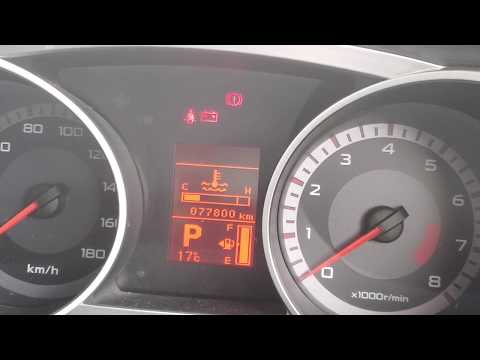
This video shows how to reset the oil and maintenance light on the Mitsubishi Outlander. It is advisable to perform this reset only if the light remains on after an oil change or service. To reset, insert the key without starting the ignition. When the maintenance light appears, press and hold the button next to the traction control disable button. Keep it pressed until the spanner symbol starts to flash. Once it begins to flash, release the button and press it once more. Now start the engine to complete the reset.
Updated on 2 August 2026 by ScegliAuto
Video tutorial
Related tutorials
Mitsubishi Outlander
(2007-2012 /
MK 2)
If you want to find out how to correctly perform a manual reset of the maintenance light on your 2010 Mitsubishi Outlander, all you have to do is fol…
Mitsubishi Outlander
(2007-2012 /
MK 2)
This video shows how to reset the maintenance light on a 2007 Mitsubishi Outlander. It is advised to perform this procedure only after completing the…

Mitsubishi Outlander
(2021-2026 /
MK 4)
If you own a Mitsubishi Outlander latest model (year 2025) and do not know how to manually reset the maintenance light, do not worry because below yo…
Other guides you may be interested in
|
How to reset the tire pressure sensor of the Hyundai Tucson
Below we will discover the instructions that will allow us to reset the tire pressure warning light (TPMS) of the Hyundai Tucson. First of all, we get into the car and turn on the instrument panel; then we go to the vehicle settings until we reach the tire pressure monitor, identifying the tire with the incorrect pressure. At this point, we proceed to restore all tire pressures, following the pattern indicated on the label; in this way the TPMS system will be reset and the warning light will be reset by the instrument panel! by ScegliAuto More videos
|
|
For advertising on this site Write to info@scegliauto.com
ScegliAuto is not responsible for any inaccuracy of the data in the lists. To report any inaccuracy or your business (if you own the business in question), please write to info@scegliauto.com
Number of seconds to generate the page: 0.503
(c) ScegliAuto 2026 - info@scegliauto.com - Privacy policy VAT number: IT01247470535 |
