
|
Do it yourself
| |||
| ||||


Nissan Navara - AdBlue warning lightAdBlue Warning Light Nissan Navara (2014-2024 / d 23) Nissan Navara (2014-2024 / D23) How to Reset the AdBlue Light on the Nissan Navara? The anti-pollution additive used in modern vehicles equipped with a diesel engine, called AdBlue, is stored in a dedicated tank, which indicates, via the level …Read all… Posted on 26 September 2026 by ScegliAuto  Nissan Navara (2014-2024 / D23) How to Reset the AdBlue Warning Light on the Nissan Navara? AdBlue is the anti-pollution additive used in modern diesel engines, poured directly into its dedicated tank, where the warning light on the dashboard …Read all… Posted on 17 February 2026 by ScegliAuto  Nissan Navara (2014-2024 / D23) How do you reset the AdBlue warning light in the Nissan Navara NP300? The latest generation diesel cars, in addition to using diesel fuel, also use the additive adblue to reduce emissions from their exhaust gases. This additive …Read all… Posted on 20 March 2025 by ScegliAuto  Nissan Navara (2014-2024 / D23) How to Check the AdBlue Level and Reset the Warning Light on the Nissan Navara Today's main information will show you how to check the AdBlue fluid level and how to reset the refill warning on the Nissan Navara. First, get inside the …Read all… Posted on 29 October 2026 by ScegliAuto  Nissan Navara (2014-2024 / D23) How to Reset the AdBlue Warning Light on a Nissan Navara? To reset the AdBlue warning light on a Nissan Navara, top up with the necessary amount of additive liquid: this should be added to the tank with the blue cap. …Read all… Posted on 18 October 2026 by ScegliAuto  Nissan Navara (2014-2024 / D23) How to Refill AdBlue in the Nissan Navara The AdBlue in your Nissan Navara (as in all recent Diesel vehicles) plays an important role in reducing the pollution level of exhaust gases. For this reason, …Read all… Posted on 15 July 2026 by ScegliAuto Airbag (1) Car stereo (1) Battery (1) Transmission (1) Key (4) Timing belt (2) Checks and maintenance (11) Dashboard (3) Tail light (2) Cabin air filter (4) Diesel fuel filter (4) Oil filter (1) Grille (1) Fuel injectors (1) Headlight bulb (2) Handle (1) Engine oil (3) Door trim panel (5) Shift knob (3) Instrument cluster (2) Wheel (1) Fuse box (25) Side mirror (2) AdBlue warning light (6) Warning light – error code (16) Service warning light (69) Brake drums and shoes (2) Cylinder head (1) EGR valve (3) Blower motor (1) Steering wheel (4) |
How to Program the Smart Key?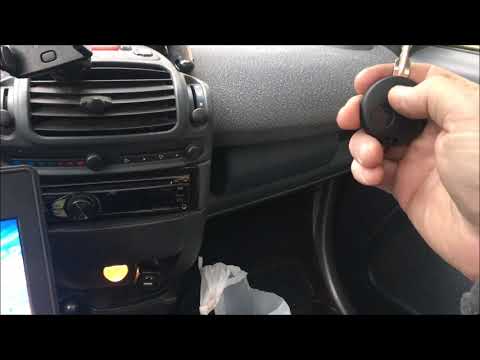
To program the Smart key, you must use a diagnostic tool: insert the key into the ignition switch located on the central tunnel, then connect the scanner to the vehicle's OBD port. Here, select the relevant car model and its corresponding version, following all instructions in the user and maintenance manual. Once the operation is complete, disconnect the scanner from the port and check that the key functions correctly. by ScegliAuto More videos
|
|
For advertising on this site Write to info@scegliauto.com
ScegliAuto is not responsible for any inaccuracy of the data in the lists. To report any inaccuracy or your business (if you own the business in question), please write to info@scegliauto.com
Number of seconds to generate the page: 0.009
(c) ScegliAuto 2026 - info@scegliauto.com - Privacy policy - About us VAT number: IT01247470535 |
