
|
Do it yourself
| |||
| ||||


How to Reset the Tyre Warning Light on the MG HS
Model: MG HS
MK 1
- Years 2019-2026
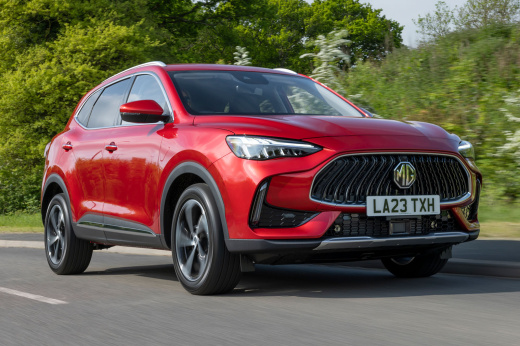
When the tyre warning light (TPMS) illuminates on the dashboard of your new MG HS, it means the vehicle's control unit has detected a puncture or abnormal pressures. Below, we will discover what you need to do to quickly and easily eliminate this warning light. First, pay attention to the sticker located on the side of the door and note the recommended tyre pressures, then proceed to inflate or replace the tyres if there is a puncture. At this point, start the car and drive a few miles to force a new data reading.
Updated on 12 August 2026 by ScegliAuto
Video tutorial
Related tutorials
MG HS
(2019-2026 /
MK 1)
Let's see how to reset the tire pressure warning light on the MG HS: turn on the instrument panel and locate the reset button, which is located under…

MG HS
(2019-2026 /
MK 1)
In order to reset the tire pressure warning light on the MG HS, you first need to inflate the tires to the correct pressure value: this value is indi…

MG HS
(2019-2026 /
MK 1)
Let's see in this video how to reset the tire pressure warning light on the MG HS: after inflating the tires to the pressure indicated by the manufac…
Other guides you may be interested in
|
How to Set the Time on the New Vespa 2023
In this new mini guide dedicated to your new Vespa 2023, discover how to manually change the time displayed on the central dashboard. First, position your Vespa on the stand. Then, insert the key and start the instrument panel. At this point, locate the "Mode" button on the right knob and hold it down for a few seconds. Release it as soon as the time on the dashboard starts to flash and press it multiple times to change both the hour and minute digits. When finished, turn off the panel and you are done. by ScegliAuto More videos
|
For advertising on this site Write to info@scegliauto.com
ScegliAuto is not responsible for any inaccuracy of the data in the lists. To report any inaccuracy or your business (if you own the business in question), please write to info@scegliauto.com
Number of seconds to generate the page: 0.084
(c) ScegliAuto 2026 - info@scegliauto.com - Privacy policy VAT number: IT01247470535 |
