
|
Do it yourself
| |||
| ||||


2011-2018 Nissan Tiida Versa (C12)
Tutorial - For model years: 2011, 2012, 2013, 2014, 2015, 2016, 2017, 2018
Mechanics (2)Electrical System and Lighting (2)Bodywork and Windows (1)Interior and Accessories (1)Vehicle Controls and Functions (4) Nissan Tiida Versa (2011-2018 / C12) Where is the fuse box of the Nissan Tiida located? In the following guide aimed at those who own a second-generation Nissan Tiida, we will explain how you can locate the fuse box containing all the fuses in the …Read all… Posted on 17 March 2025 by ScegliAuto  Nissan Tiida Versa (2011-2018 / C12) How to Remove the Sun Visor from a Nissan Tiida Versa In this video, we will see how to replace the sun visor on a Nissan Tiida Versa: the first step is to remove the cover of the rotating bar; our YouTuber uses a …Read all… Posted on 1 October 2026 by ScegliAuto  Nissan Tiida Versa (2011-2018 / C12) How to Reset the Service Light on a Nissan Tiida In this video, you can see how to reset the service light on a Nissan Tiida: close all the doors and turn on the ignition. Press the button/dial located under …Read all… Posted on 14 September 2026 by ScegliAuto 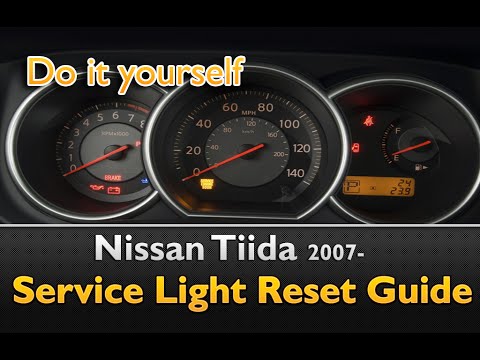 Nissan Tiida Versa (2011-2018 / C12) How to Reset the Service Light on a Nissan Tiida In this video, you will learn how to reset the service light on a Nissan Tiida Versa. First, turn on the ignition without starting the engine. Then, within 5 …Read all… Posted on 14 August 2026 by ScegliAuto  Nissan Tiida Versa (2011-2018 / C12) How to Replace a Headlight Bulb on a Nissan Tiida Versa If you need to replace a burnt-out headlight bulb on this vehicle, follow the instructions in this description and refer to the images in the video. After …Read all… Posted on 30 September 2026 by ScegliAuto  Nissan Tiida Versa (2011-2018 / C12) How to Remove the Radio from a Nissan Tiida Versa? To remove the radio from the vehicle, follow these steps: Sit in the driver's seat, and using a sharp object, pry up the upper panel of the dashboard above the …Read all… Posted on 8 September 2026 by ScegliAuto  Nissan Tiida Versa (2011-2018 / C12) How to Replace Spark Plugs on the Nissan Tiida Versa To replace the spark plugs on the vehicle, follow these instructions: open the hood, lift the engine cover, disconnect the battery cables, and remove the air …Read all… Posted on 8 September 2026 by ScegliAuto  Nissan Tiida Versa (2011-2018 / C12) How to Replace the Spark Plugs on a Nissan Tiida? To replace the spark plugs on a Nissan Tiida, open the hood to access the components inside the engine compartment. You will need to remove the bolts securing …Read all… Posted on 11 August 2026 by ScegliAuto  Nissan Tiida Versa (2011-2018 / C12) How to Reset the Maintenance Light on a Nissan Tiida Versa In this video tutorial, the steps to reset the maintenance light on a Nissan Tiida Versa are shown. The procedure is always fairly quick. First, get in the …Read all… Posted on 1 August 2026 by ScegliAuto  Nissan Tiida Versa (2011-2018 / C12) How to Change the Interior Dome Light on a Nissan Tiida Versa If an interior bulb in your Nissan Tiida is not working, changing it is not really difficult. The dome light is pressure-fit, so just remove it by prying on …Read all… Posted on 19 July 2026 by ScegliAuto  Nissan Tiida Versa (2011-2018 / C12) How to Replace the Key Fob Battery on a Nissan Tiida? In this tutorial, see how to replace the key fob battery on a Nissan Tiida, a very simple and quick operation. For this, you will need a replacement battery of …Read all… Posted on 18 July 2026 by ScegliAuto |
How to Activate the Cruise Control on the Toyota Yaris?
To activate the cruise control on the Toyota Yaris, start the engine by turning the key in the ignition switch. Once the engine is running, press the accelerator pedal until you reach the desired speed. Then, press the button on the right side of the steering wheel to activate the cruise control. You can also adjust the cruising speed by lifting the switch to increase it and lowering the switch to decrease it. by ScegliAuto More videos
|
|
For advertising on this site Write to info@scegliauto.com
ScegliAuto is not responsible for any inaccuracy of the data in the lists. To report any inaccuracy or your business (if you own the business in question), please write to info@scegliauto.com
Number of seconds to generate the page: 0.009
(c) ScegliAuto 2026 - info@scegliauto.com - Privacy policy VAT number: IT01247470535 |
