
|
Do it yourself
| |||
| ||||


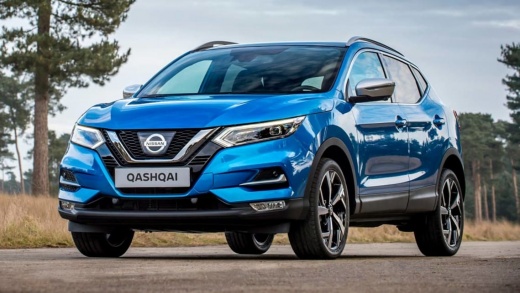
How to set the language in the menu of the Nissan Qashqai J11 cameras
Model: Nissan Qashqai
J11
- Years 2014-2022
In this video we can see how to set the language on the menu of the Nissan Qashqai camera: often the writings come in Chinese, and not easy to interpret. However, we must first save the DSP settings, because to do this operation we will have to reset it. Here we are talking about the camera with Mediatec processor. So we click on the settings wheel; we scroll the menu and look for "car infotainment" and then from here we click on the last menu "about davis": from here we click on the wheel and enter the code 8878. we confirm and look for the "default language" menu. We have to look for the language we are interested in and click on it. Then we click on "save". we restart the device and then at the restart the language will be the one we have reset.
Posted on 26 November 2024 by ScegliAuto
Video tutorial
Related tutorials
Nissan Qashqai
(2014-2022 /
J11)
Before you can start, sit in the front driver's seat of your Nissan Qashqai. Begin by activating the on-board computer by simply pressing the corresp…

Nissan Qashqai
(2014-2022 /
J11)
Here are the instructions to change the language of the multimedia system on the Nissan Qashqai. First, get in the car and turn on the instrument pan…

Nissan Qashqai
(2014-2022 /
J11)
Today we will explain how to set the language of the instrument cluster on the Nissan Qashqai model II. To set the language, we need to select the "l…
Other guides you may be interested in
|
Fuses Location and Diagram for the Volkswagen Crafter
In this guide, we will look at the location of the fuse boxes and how to find their diagram for the Volkswagen Crafter. First, get inside the vehicle and start by removing the plastic cover found under the steering wheel, to access the internal fuse box; you will find another fuse box in the engine compartment by removing the plastic cover located next to the battery. At this point, use the owner's manual to find the fuse diagram, which will allow you to identify and replace any blown fuses with new ones! by ScegliAuto More videos
|
|
For advertising on this site Write to info@scegliauto.com
ScegliAuto is not responsible for any inaccuracy of the data in the lists. To report any inaccuracy or your business (if you own the business in question), please write to info@scegliauto.com
Number of seconds to generate the page: 0.131
(c) ScegliAuto 2026 - info@scegliauto.com - Privacy policy VAT number: IT01247470535 |
