
|
Do it yourself
| |||
| ||||


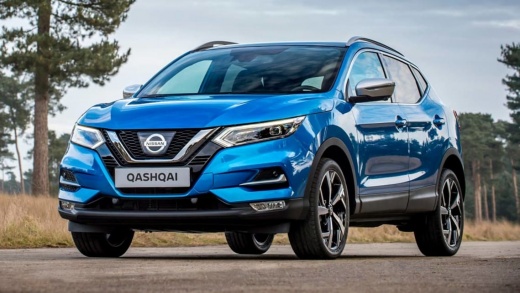
How to reset the airbag light on the Nissan Qashqai
Model: Nissan Qashqai
J11
- Years:
2014, 2015, 2016, 2017, 2018, 2019, 2020, 2021, 2022
Video tutorial
If we change the airbag on our Nissan Qashqai, then we will have to reset the indicator light, which will continue to flash even after we have made the repair. Let's see how to do it, without the need for diagnostics, but manually. We turn on the ignition, until the light starts flashing, then we turn it off and count to ten. We turn on the ignition again and repeat this procedure three times: on the third time we also start the engine. When we turn it off this time, upon restarting we will see that the error will flash much more slowly until it turns off completely. The youtuber shows us how the procedure is carried out, which actually works.
Posted on 27 April 2025 by ScegliAuto
Related tutorials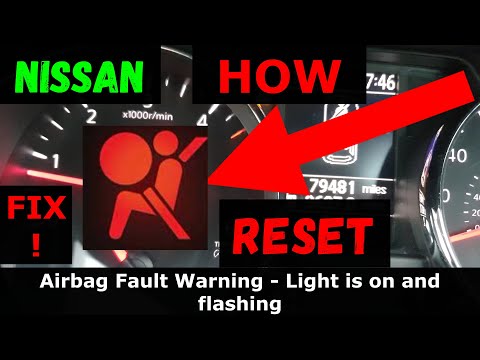
Nissan Qashqai
(2006-2014 /
J10)
To reset the airbag light on a Nissan Qashqai, follow this procedure: first, turn on the ignition by switching the key to the on position. When the a…

Nissan Qashqai
(2006-2014 /
J10)
To deactivate the passenger airbag on the Nissan Qashqai, open the front passenger door to access the lock in this position: once the lock is located…

Nissan Qashqai
(2006-2014 /
J10)
Today's instructions will allow us to reset the airbag malfunction warning light on the Nissan Qashqai in a few simple steps. First, it is necessary …
Other guides you may be interested in
|
How to Set the Time in an Audi A4?
In this tutorial, you will see how to set the time in an Audi A4, a very simple and quick operation to perform after replacing the battery or when the time changes. First, insert the key and turn on the instrument cluster. Then, press the "SETUP" button located on the center console. Next, press the upper left arrow button, navigate to the "Time" option, and use the central knob to adjust the clock. Finally, set any necessary formats and save by returning to the main screen. by ScegliAuto More videos
|
|
For advertising on this site Write to info@scegliauto.com
ScegliAuto is not responsible for any inaccuracy of the data in the lists. To report any inaccuracy or your business (if you own the business in question), please write to info@scegliauto.com
Number of seconds to generate the page: 0.031
(c) ScegliAuto 2026 - info@scegliauto.com - Privacy policy VAT number: IT01247470535 |
