
|
Do it yourself
| |||
| ||||


How to reset the service in the Nissan Qashqai?
Model: Nissan Qashqai
J10
- Years 2006-2014
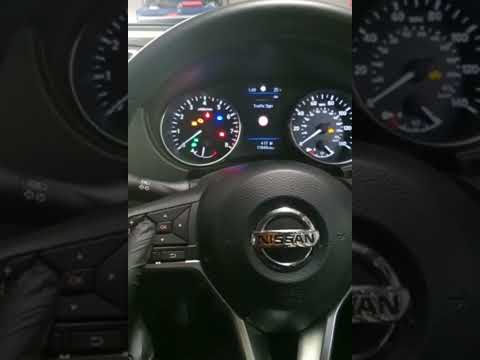
Resetting the service in the Nissan Qashqai, as we can see in this tutorial, is an extremely simple and fast operation. Before proceeding, we must have completed all scheduled maintenance work. Let's start by going inside the cabin, then insert the key but leave it in the first position. Then press and hold the "TRIP" button located in the center of the dashboard, turn on the instrument panel at the same time, and when the display starts flashing, release the button and press it again. At this point, all that's left to do is wait a few seconds and restart the vehicle.
Posted on 5 September 2025 by ScegliAuto
Video tutorial
Related tutorials
Nissan Qashqai
(2014-2022 /
J11)
.. In this tutorial, see how to reset the service in the Nissan Qashqai, an extremely simple and quick operation to be carried.. …
Nissan Qashqai
(2014-2022 /
J11)
Resetting the service on a Nissan Qashqai, as shown in this tutorial, is an extremely simple and quick operation. Before proceeding, ensure you have …

Nissan Qashqai
(2006-2014 /
J10)
Resetting the service in the Nissan Qashqai, as we can see in this tutorial, is an extremely simple and quick operation. Before proceeding, we must h…
Other guides you may be interested in
|
How to Open the Fuel Filler Flap on a Hyundai i20?
In this tutorial, you will see how to open the fuel filler flap on a Hyundai i20, a very simple operation similar to that of many vehicles. First, go inside the cabin; it is not necessary to insert the key or unlock all the locks, then locate and operate the lever situated in the lower left area of the cabin, right next to the driver's seat. Once done, exit the vehicle, fully open the flap, and unscrew the fuel cap. To close the flap, simply press it gently until you hear a click. by ScegliAuto More videos
|
|
For advertising on this site Write to info@scegliauto.com
ScegliAuto is not responsible for any inaccuracy of the data in the lists. To report any inaccuracy or your business (if you own the business in question), please write to info@scegliauto.com
Number of seconds to generate the page: 0.122
(c) ScegliAuto 2026 - info@scegliauto.com - Privacy policy VAT number: IT01247470535 |
